


Image Cleaner for Magento 1
Over time, every Magento store fills up with orphan images — old product and category photos that stay on your server long after the product or category itself has been deleted or updated. Image Cleaner scans your media/catalog directories, compares them against your live product and category records, and lists every unused image in one clean grid — so you can free up server space and keep your store running fast, in a couple of clicks.
Key Features
- Scans and lists orphan product images
- Scans and lists orphan category images
- Bulk or single-image delete from a simple admin grid
- Export the full orphan image list to CSV before deleting
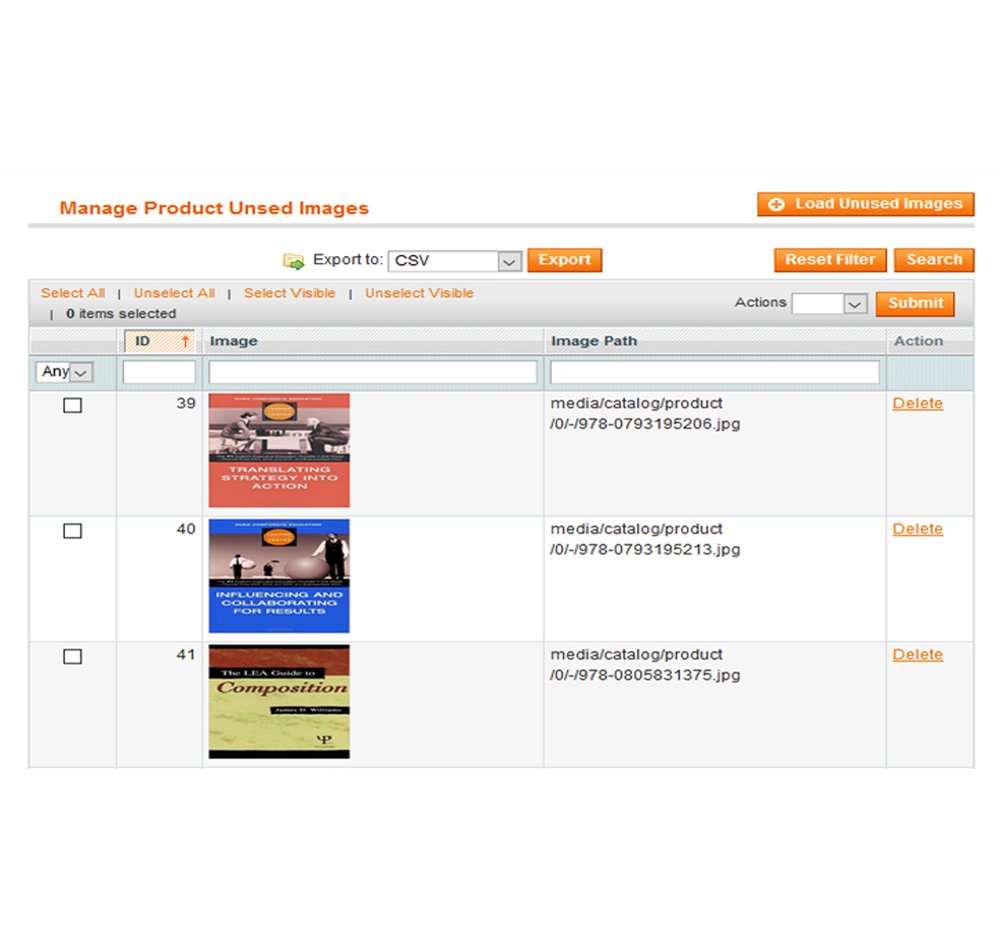
Admin Product Image Cleaner
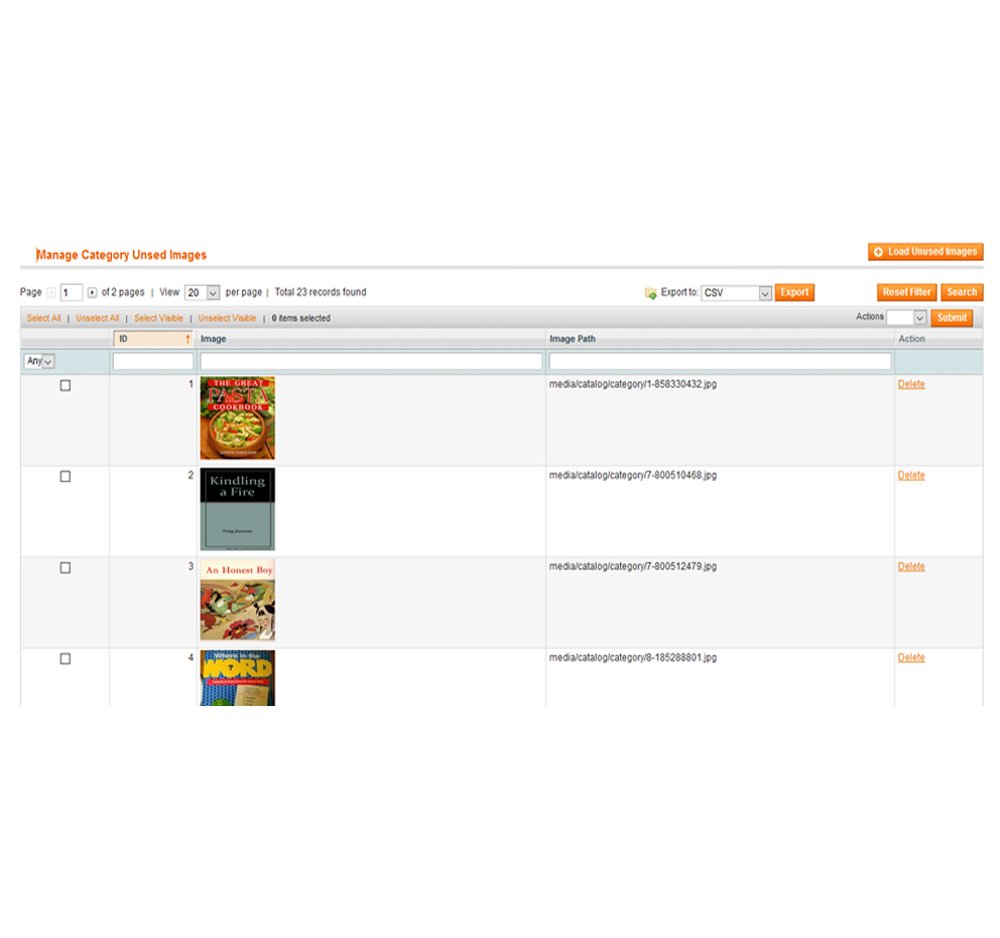
Admin Category Image Cleaner


Image Cleaner Magento 1 Extension Functionality
A safe, fast way to reclaim server space. Magento never cleans up product or category images on its own — when a product is deleted or its image is replaced, the old file just sits in the media/catalog folder forever. On a store with a large catalog, that adds up to gigabytes of dead weight that slow down backups and waste hosting space, with no easy way to tell which images are actually still in use.
This extension cannot delete or erase anything on its own — that’s by design. It compares every image in your media/catalog folder against your actual product and category records, and lists only the images that don’t match anything currently in your store, along with each image and its file path, in a simple admin grid. From there, you decide: remove a single image, select several, or clear the whole list in one go. You can also export the full list to CSV first, so you always have a record of exactly what was cleaned up before you commit to deleting anything.
Image Cleaner Extension Features





FAQs
No. It cannot delete or erase images directly — it only lists unused images in a grid. You choose what to delete, one at a time or in bulk.
Yes. It scans and lists both unused product images and unused category images from your media/catalog folder.
It compares every image file in your media/catalog folder against your live product and category database records. Any file with no matching record is listed as unused.
Yes. Since nothing is deleted without your confirmation, there’s no risk of accidentally removing an image that’s still in use — you review the full list first.
Yes, you can export the entire unused image list to CSV before deleting anything.
Yes — a live admin demo is available so you can see the extension in action before purchasing, along with a walkthrough video.
The item includes 3 months of support from Magexweb, with the option to extend to 6 or 12 months.
Changelog
- Code Optimization
- Initial release
Reviews
There are no reviews yet.