


Reindex from Admin for Magento 2
Reindex your Magento store with just a few clicks — right from the Admin Panel.
Managing Magento indexers shouldn’t require switching to the command line every time you need to refresh store data. Reindex from Admin makes it easier to run indexing operations directly from your Magento Admin Panel, helping you manage index updates without relying on SSH or CLI commands for routine tasks.
Key Features
- Reindex selected indexers directly from Magento Admin
- Reindex all indexers with a single action
- Simplify index management without manual CLI commands
- Manage indexing operations from a centralized admin interface
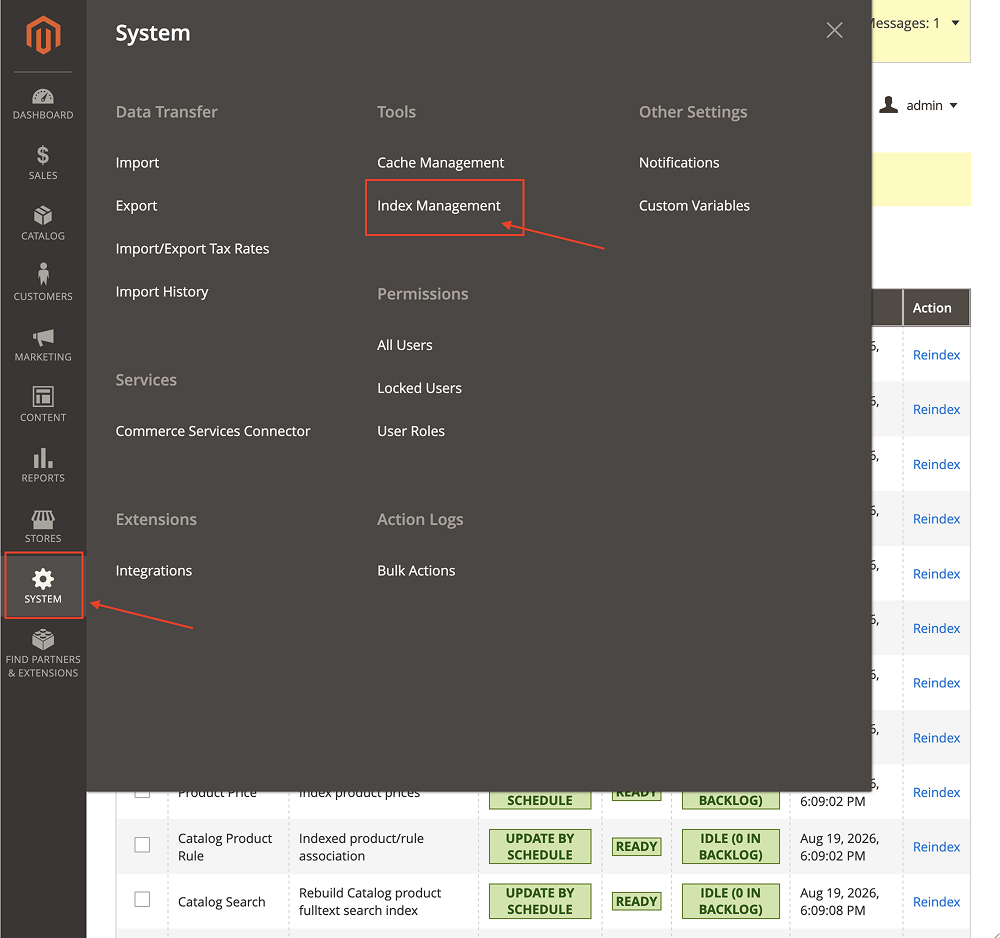
Reindex Menu Link
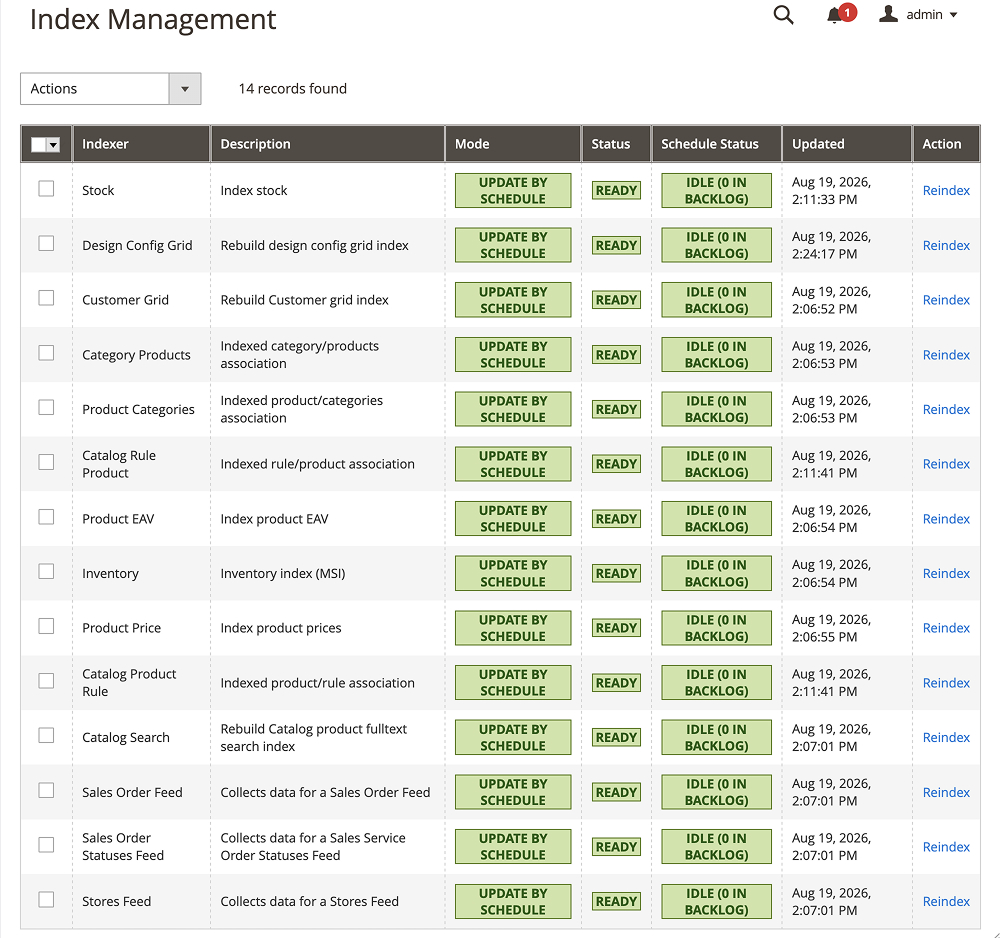
Reindex Grid
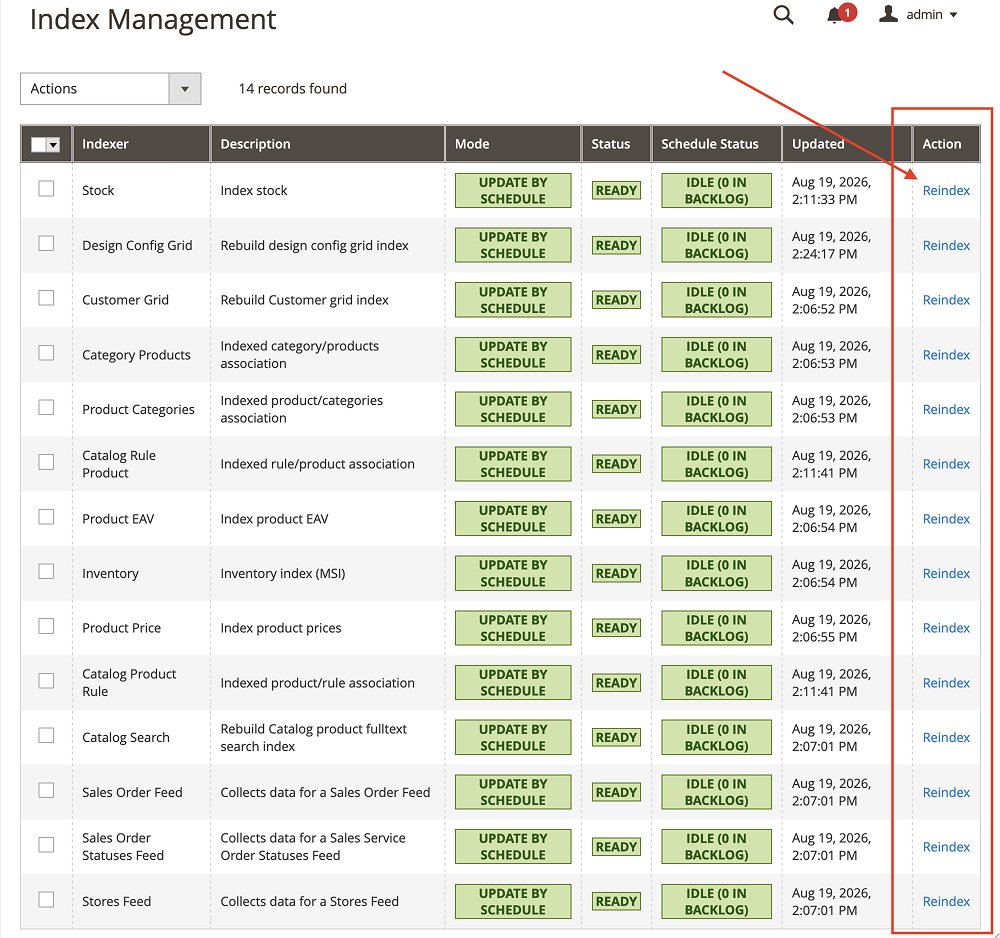
Reindex Option for Each Index
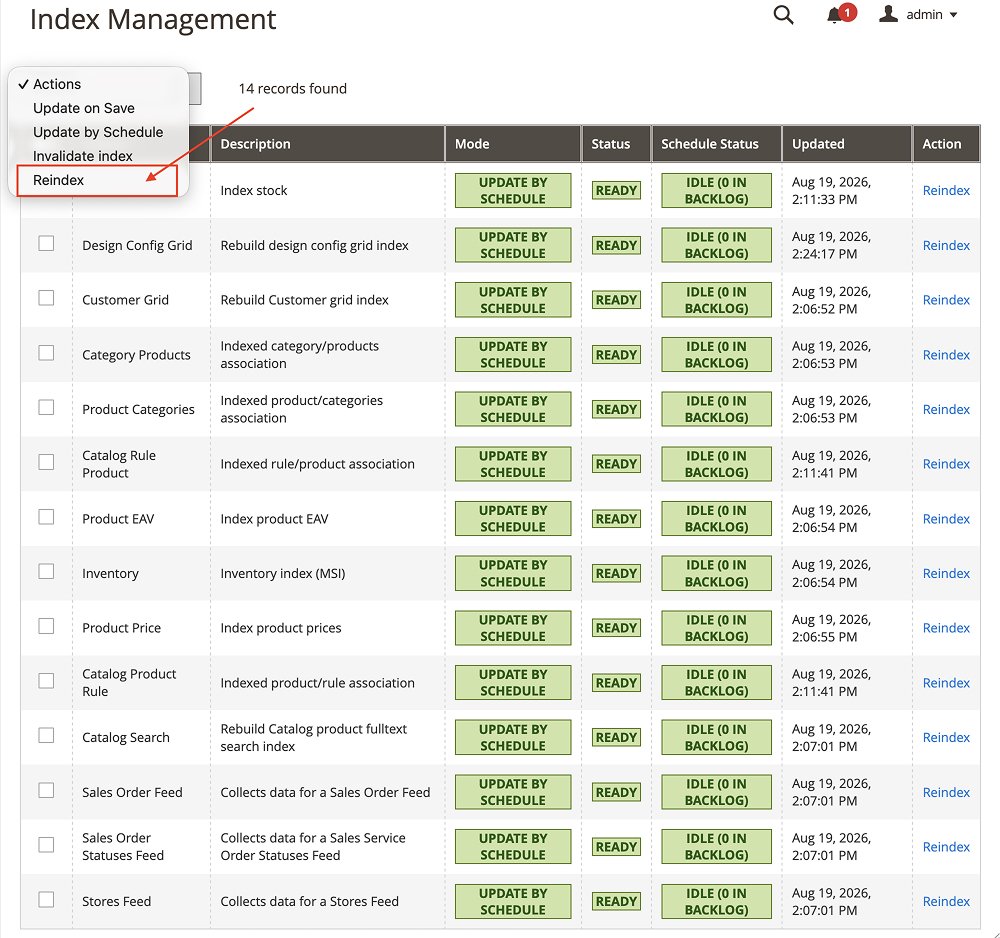
Mass Reindex Option


Magento 2 Reindex from Admin Extension Functionality
Magento 2 uses indexers to keep important store data organized and ready for use across the storefront. When catalog or other indexed data changes, the related indexes may need to be refreshed. While Magento supports indexing through CLI commands and scheduled processes, manually running these commands can add extra steps to everyday store maintenance.
The Reindex from Admin Extension simplifies this process by bringing indexing operations into the Magento Admin Panel. Instead of switching between your store backend and the s
With the ability to reindex selected indexers or run a full reindex, you can handle routine indexing tasks more conveniently during store updates, development, and testing.
Reindex from Admin Extension Features

FAQs
It allows Magento administrators to run indexing operations from the Magento Admin Panel, making it easier to refresh selected indexers or all indexers without manually using CLI commands.
Yes. You can select specific indexers to reindex, helping you focus on the data that needs to be refreshed rather than running a full reindex every time.
The extension is designed to let you initiate supported reindexing operations from Magento Admin, reducing the need for SSH access for routine indexing tasks. Server-level access may still be required for other maintenance and troubleshooting.
Reindexing may be necessary when indexers become invalid or when indexed data needs to be refreshed. Magento also supports scheduled indexing, so a manual reindex is not required after every store change.
No. It provides a convenient way to initiate manual indexing operations from the admin panel. Magento’s cron and indexer configuration should continue to be maintained as part of your regular store operations.
The extension is designed to make reindexing accessible through the Magento Admin interface, reducing the need to manually execute CLI commands for supported operations.
That depends on your extension’s tested compatibility and implementation. Reindexing can consume server resources, particularly for large catalogs. Follow Magento’s operational best practices and test the extension in a staging environment before using it in production.
Reviews
There are no reviews yet.