
Overview
Image Cleaner for Magento 1 is an admin tool that finds and removes orphaned image files: files in media/catalog/product or media/catalog/category that are no longer referenced by any product or category. It compares what is on disk with Magento's image records and lists anything unmatched in a review grid before anything is deleted.
It adds two grids under an Image Cleaner admin menu:
- Product Image Clean: scans
media/catalog/productagainst product image entries - Category Image Clean: scans
media/catalog/categoryagainst category images
Key features
- Two grids, Product Image Clean and Category Image Clean, each with its own scan and delete workflow
- Safe by design: nothing is removed automatically. The extension lists orphaned images first, and deleting is a separate, deliberate action
- Load Unused Images scan: an on-demand comparison of the images on disk with the image references in the database
- Single or mass delete: delete one image with its Delete link, or select several (Select All, Select Visible or checkboxes) and use a mass action
- CSV export of the full unused-image list before you delete anything, as a backup record or for review outside the admin
- For categories, both the Category Thumbnail and the Category Image fields are checked
Installation
You can install Image Cleaner with Magento Connect Manager, or by uploading the files over FTP or cPanel.
With Magento Connect Manager
- Log in to your admin panel.
- Go to System > Magento Connect > Magento Connect Manager.
- On the login screen, enter your admin user name and password.
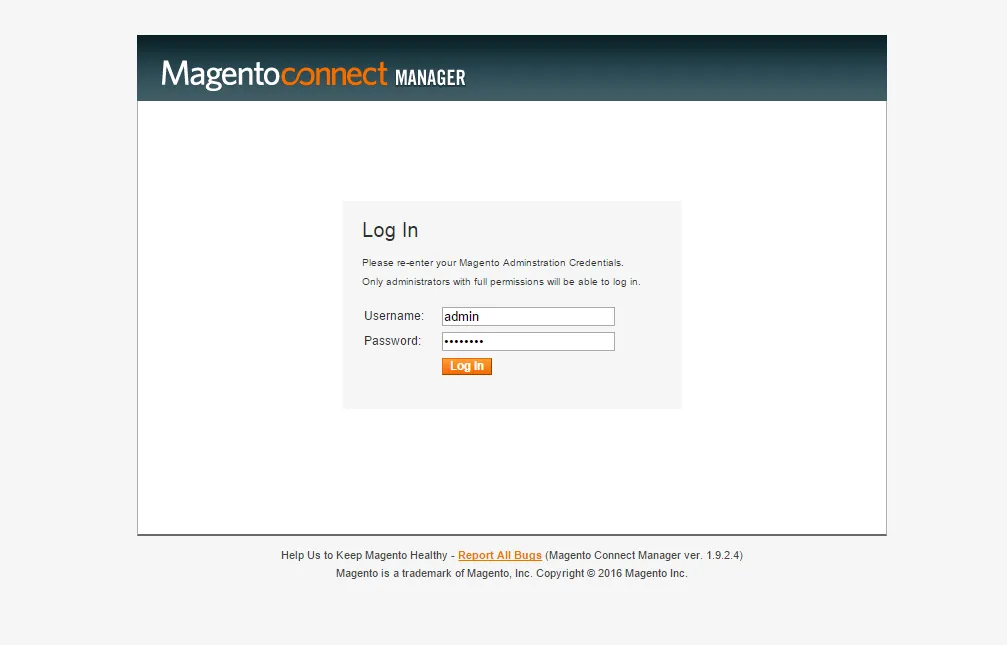
- After logging in, find the Direct package file upload section.
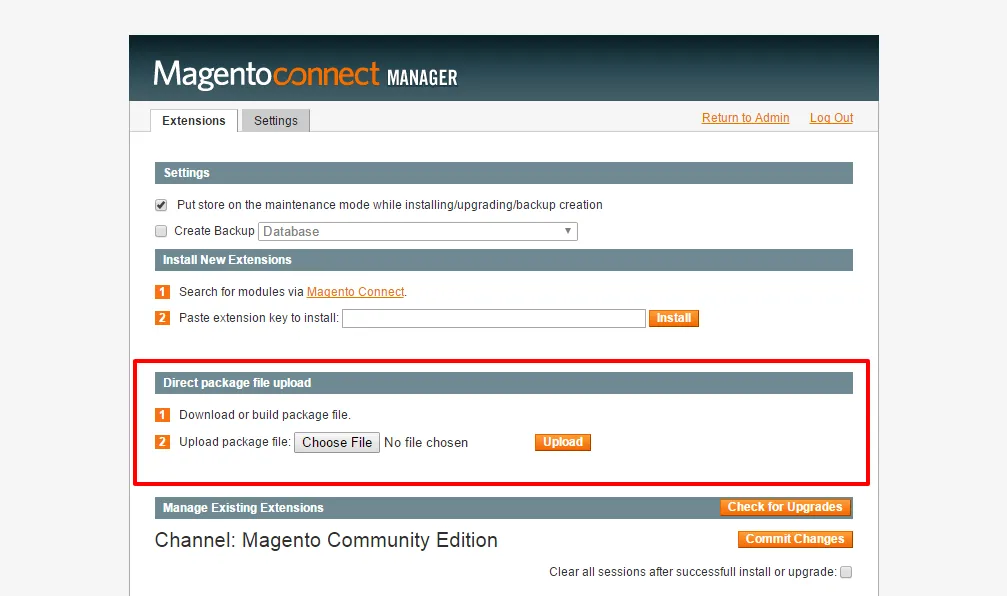
- Upload the package file
Magexweb_Imagecleaner-1.0.0.tgzand click Upload. Back up your website and database before you click Upload. - When the installation is complete, log out of the admin panel and log in again. If you skip this, you may see a 404 page on the extension's pages.
With FTP or cPanel
- Extract
Magexweb_Imagecleaner-1.0.0.tgzon your computer. You get anappfolder. - Upload that folder to your website's root with FTP or cPanel.
- If you are logged in to the admin panel, log out and log in again. Otherwise you may see a 404 page on the extension's pages.
Cleaning product images
Removing unused images with this extension is safe: it never deletes images by itself. It first lists all unused images, then you choose to remove the selected images or all of them. You can also export the list as a CSV file. Product Image Clean compares the product images in the database with the files in media/catalog/product.
- Go to Image Cleaner > Product Image Clean.
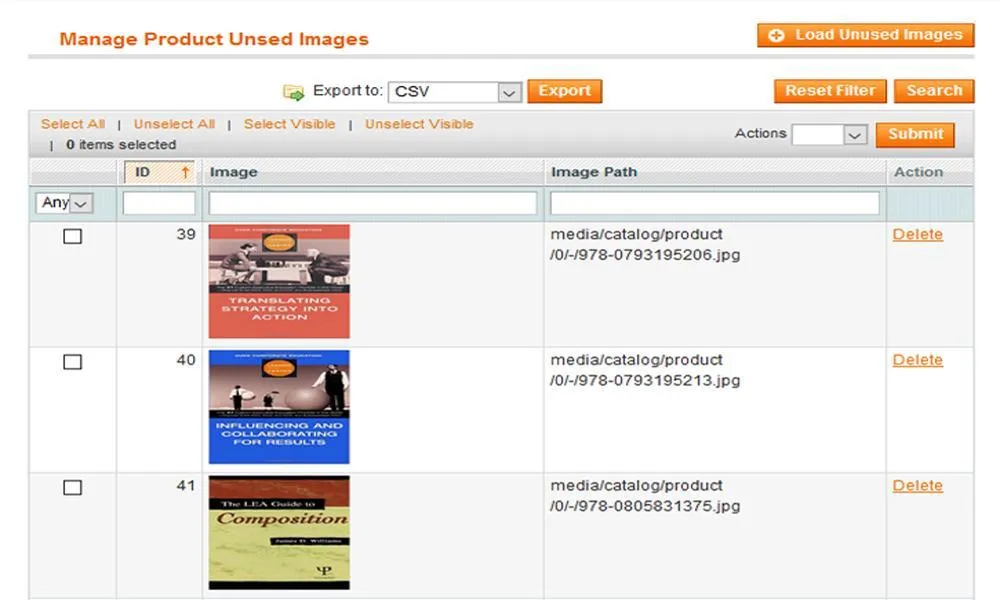
- Click Load Unused Images. All unused product images are listed in the grid.
- Select the images to delete. Delete a single image, or use the mass action to delete several.
Note: if your products use other custom image fields, email us at info@magexweb.com before cleaning.
Important: deletion is immediate and permanent. The module does not move files to a trash folder or keep a backup. Always take a media backup, or export the list and check it carefully, before a mass delete.
Cleaning category images
Category Image Clean compares each category's Thumbnail and Image with the files in media/catalog/category.
- Go to Image Cleaner > Category Image Clean.
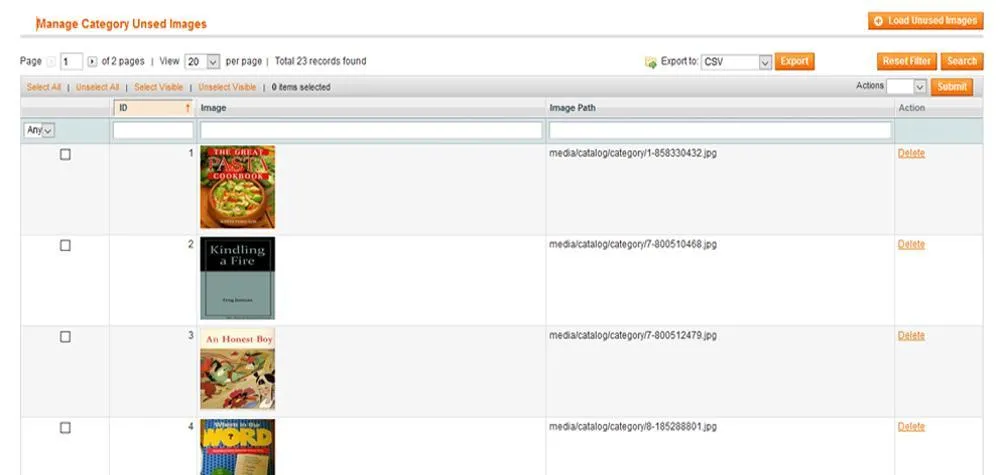
- Click Load Unused Images. All unused category images are listed in the grid.
- Select the images to delete. Delete a single image, or use the mass action to delete several.
Support
For help, email info@magexweb.com.