The store will not work correctly when cookies are disabled.
Cookies on this site
We use necessary cookies to run the site, keep your cart and protect our forms from spam. With your consent we may also use optional cookies to understand how the site is used. Cookie Policy
A Magento 2 store locator extension with store search on Google Maps or OpenStreetMap, SEO store pages, opening hours, contact forms and CSV import.
Store search with Google Maps or OpenStreetMap (no API key)
SEO store pages with opening hours and LocalBusiness schema
CSV import, automatic coordinates and contact forms
Adobe Marketplace approved
Help shoppers find your nearest store, on Google Maps or OpenStreetMap.
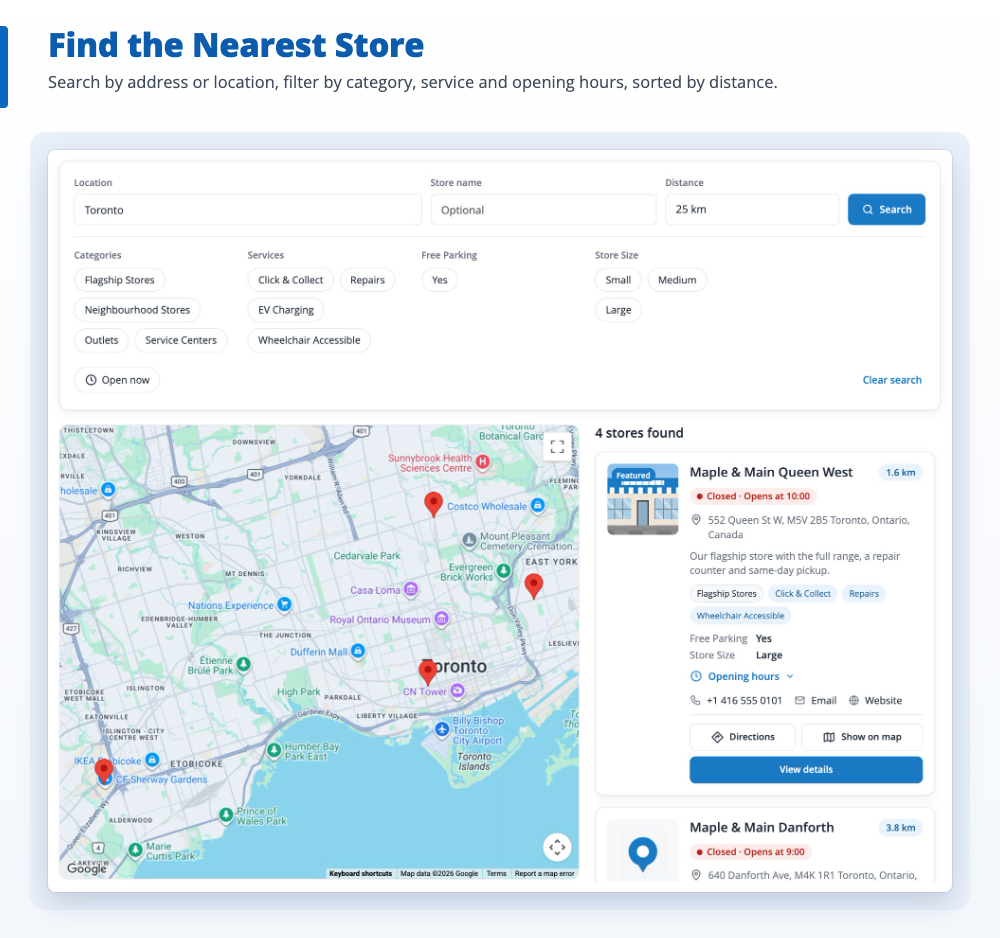
Shoppers who want to see, try or pick up a product look for the nearest store. Store Locator adds a store finder to your Magento 2 store: search by address or location, a map and a list of stores with live opening status, and an SEO page for every store.
Add your stores
Add stores in the admin, import them from a CSV file, or approve the ones shoppers suggest. Coordinates are found automatically.
Choose your map
Use Google Maps, or OpenStreetMap without an API key, in one of six layouts.
Bring shoppers in
Shoppers find the nearest store, see if it is open, get directions, call or send a message.
yourstore.com/store-locator
Toronto, ON25 kmSearch
Queen West552 Queen St W0.8 kmOpen until 20:00
Danforth701 Danforth Ave3.1 kmOpens at 10:00
Yonge & Eglinton2300 Yonge St6.4 kmClosing soon
Try it: change the layout and filter by “Open now”. Stores are examples.
Everything the Magento 2 store locator can do.
All of it is set in the Magento admin, with no coding.
Store search near the shopper
Shoppers search by address, place or ZIP/postal code with suggestions as they type, or tap “Use my location”. Results are sorted by distance.
Radius and store name search
Filters for category, service, city and “Open now”
Google Maps or OpenStreetMap
Use Google Maps with Advanced Markers and your own map style, or OpenStreetMap with no API key and no Google account.
Marker clustering and custom markers per store or category
Directions in Google Maps, OpenStreetMap or Apple Maps
SEO store pages for local search
Every store gets its own page with its own URL, meta tags and canonical URL, so shoppers can find your stores in search results.
LocalBusiness and BreadcrumbList structured data
XML sitemap, meta templates and 301 redirects
Opening hours and holiday hours
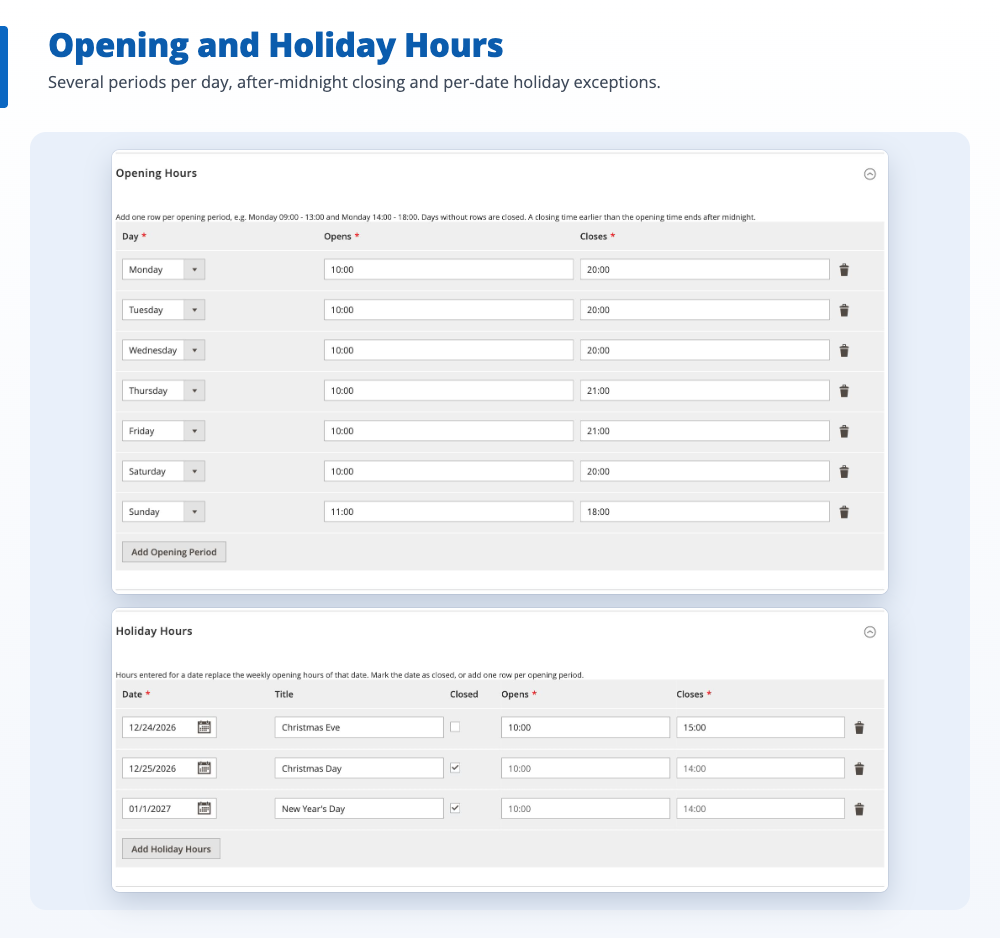
Set several opening periods per day, hours that end after midnight and holiday hours for single dates, each store in its own timezone.
Live “Open”, “Closing soon” and “Opens at” status
Upcoming holiday hours on store pages
Six layouts and a CMS widget
Choose Map + List, List + Map, Full Map, Grid, List or Map + Grid, and place store locators on any CMS page with a widget.
Limit a widget to some categories or services, e.g. a dealer locator
Links in the footer, top menu or header
Categories, services and custom attributes
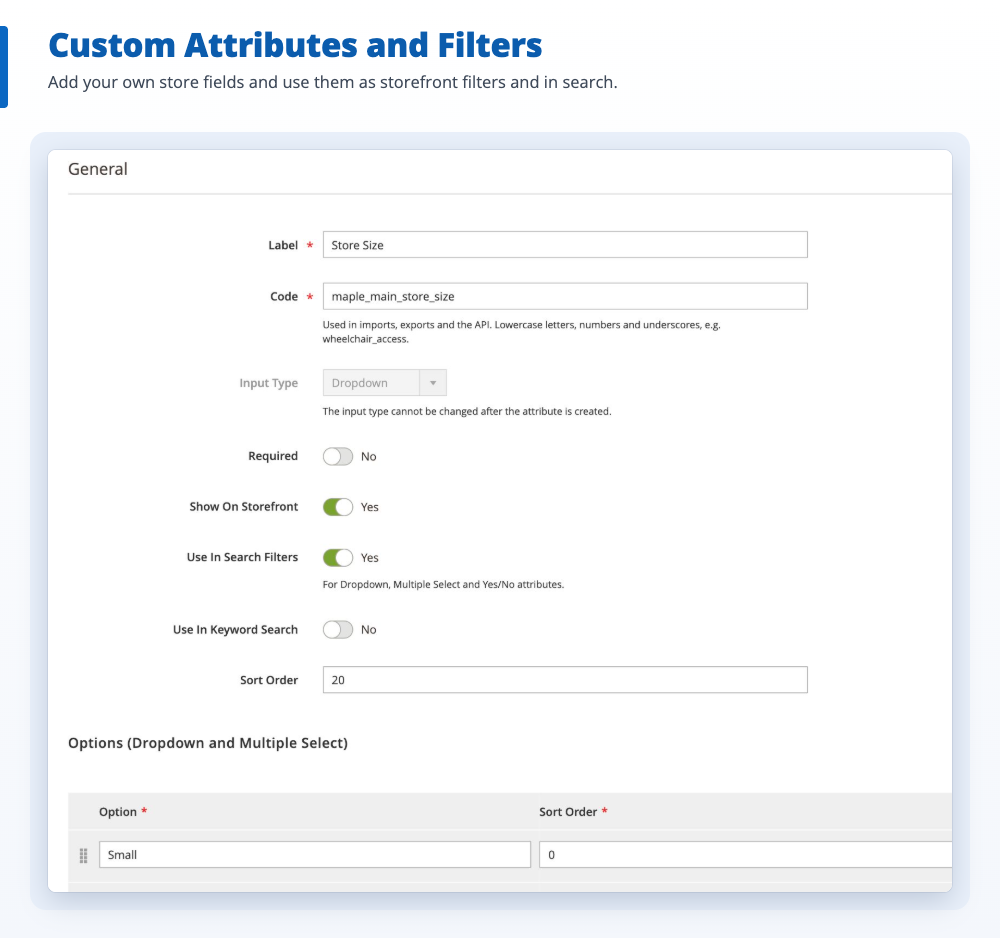
Group stores into categories, list the services each store offers and add your own fields, such as “Free Parking” or “Store Size”.
Text, number, yes/no, date, URL, dropdown and multiple select
Use attributes as filters and in keyword search
“Contact this store” and “Suggest a store”
Shoppers message a store from its page, or suggest a new store that you approve in the admin with one click.
Email notifications and editable templates
Google reCAPTCHA, honeypot and limits per visitor
CSV import, export and automatic coordinates
Import hundreds of stores from a CSV file that is checked before anything changes. Stores without latitude and longitude get them automatically.
Scheduled imports from a file or an HTTPS URL
Import history and command line tools
Reports, REST API and permissions
See searches, store page views, directions, calls and emails per store. No personal data or IP addresses are stored.
Optional Google Tag Manager events
REST API, store view and customer group visibility, ACL roles
Screenshots.
The extension itself, on the storefront and in the admin. Select an image to see it full size.
Magento 2 store locator search results with map and store list
Can I use the store locator without a Google Maps API key?
Yes. Choose OpenStreetMap as the map provider and the maps, marker clustering, address suggestions and automatic store coordinates work without an account or API key. For busy shops you can enter the URLs of a commercial tile, search and geocoding provider. Google Maps is also supported, with Advanced Markers and custom map styles.
Does every store get its own SEO-friendly page?
Yes. Each store has a page with its own URL key, meta title, meta description and canonical URL, plus LocalBusiness and BreadcrumbList structured data with its address, coordinates and opening hours. Store pages are added to the XML sitemap, and old URLs redirect (301) when a URL key changes.
Can I import my stores from a CSV file?
Yes. Download the sample file, fill it in and import it in Store Locator > Import / Export. The whole file is checked first and nothing changes until it is valid. Large files are imported in the background, and you can also import on a schedule from a file on the server or an HTTPS URL, or from the command line.
Do I have to enter the latitude and longitude of every store?
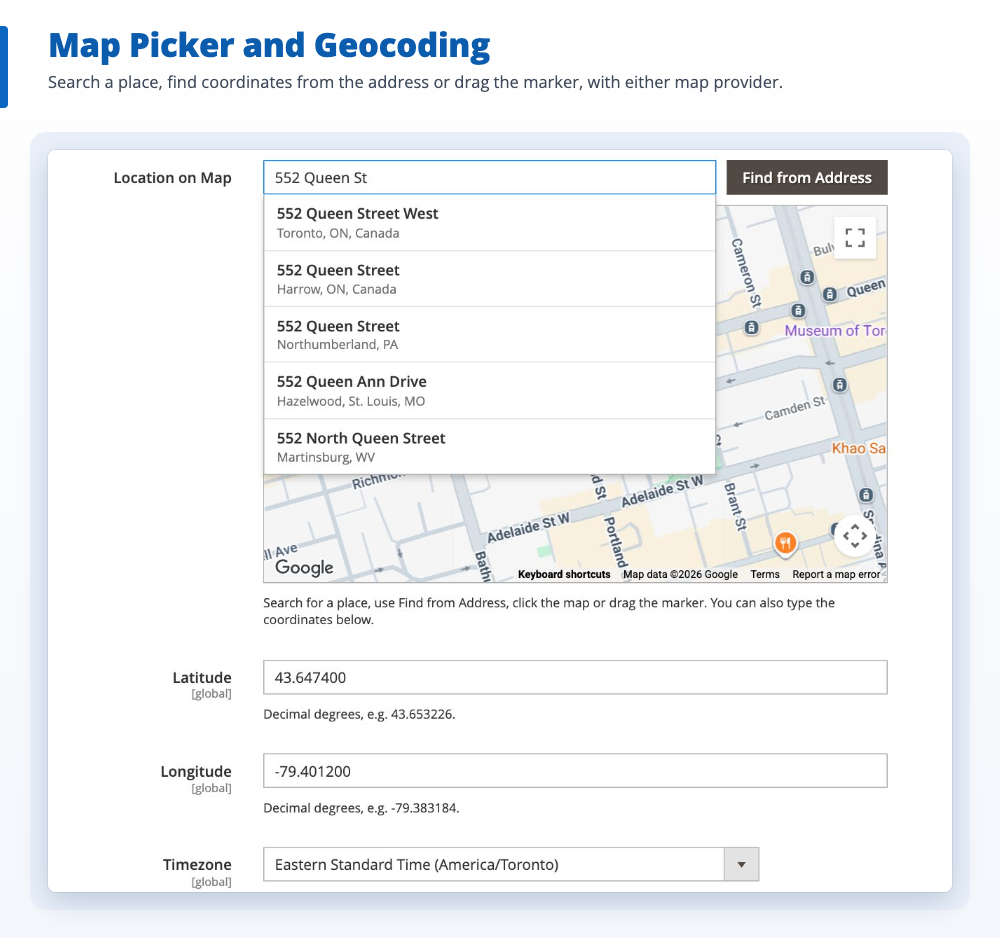
No. Stores saved or imported with an address but without coordinates are looked up automatically by cron, with Google's Geocoding API or OpenStreetMap's Nominatim. In the store form you can also search for the address on a map and drag the marker.
Can I use it as a dealer locator or show only some stores on a page?
Yes. Group stores with categories and services, then add the Store Locator widget to any CMS page and limit it to the categories or services you choose, for example a "Dealers" or "Service centers" page. Several widgets can be placed on one page.
Does it show opening hours and whether a store is open now?
Yes. Stores can have several opening periods per day, hours that end after midnight and holiday hours for single dates, each in the store's own timezone. Store cards and pages show a live status such as "Open", "Closing soon" or "Opens at 10:00", and shoppers can filter by "Open now".
Can I show different stores per store view or customer group?
Yes. Every store can be assigned to store views and customer groups, and its name, descriptions, URL key and meta data can be translated per store view.
Which Magento versions does it support?
Magento Open Source and Adobe Commerce 2.4.8 and 2.4.9, with PHP 8.1 to 8.5. Store locator pages work with Magento's full page cache.
Does the extension store personal data?
Reports keep only daily counts, with no IP addresses, search terms or visitor identifiers. Messages sent with the "Contact this store" form can be deleted automatically after the number of days you choose.
What support do I get after purchase?
Every purchase includes 3 months of support. You can extend it to 6 or 12 months at checkout, and add professional installation.
Changelog.
Updates are free for every customer.
Version 1.0.0
Latest
Initial release
Bought from the team that built it.
Magexweb is a Magento development agency with 10+ years of experience. The developers who wrote the extension answer your support questions.