Posts written your way
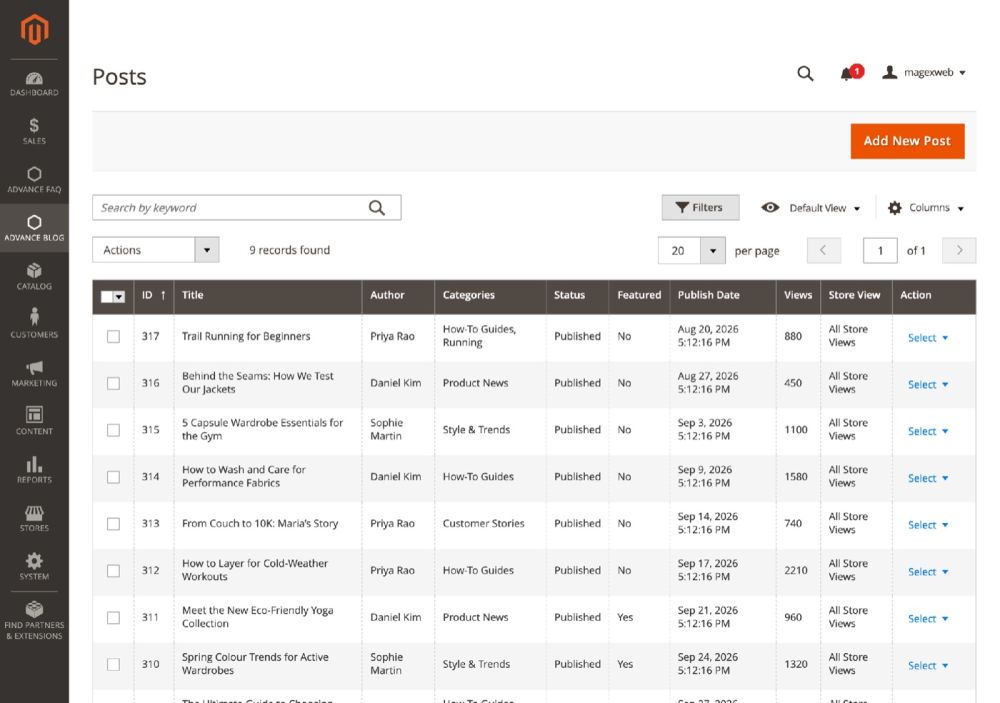
Write in the Magento editor or with Page Builder, add a featured image and a short description, and publish now or on a date you choose.
- Draft, Published, Scheduled and Disabled
- Featured flag, duplicate and mass actions
 Mage-OS compatible
A complete, SEO-friendly blog inside your Magento 2 store: posts, categories, authors, tags and threaded comments, with articles linked to the products they mention.
 Adobe Marketplace approved

Content marketing brings visitors from search engines and social media, answers your customers' questions and builds trust. Advance Blog keeps that content inside your Magento store, so readers are always one click away from buying.
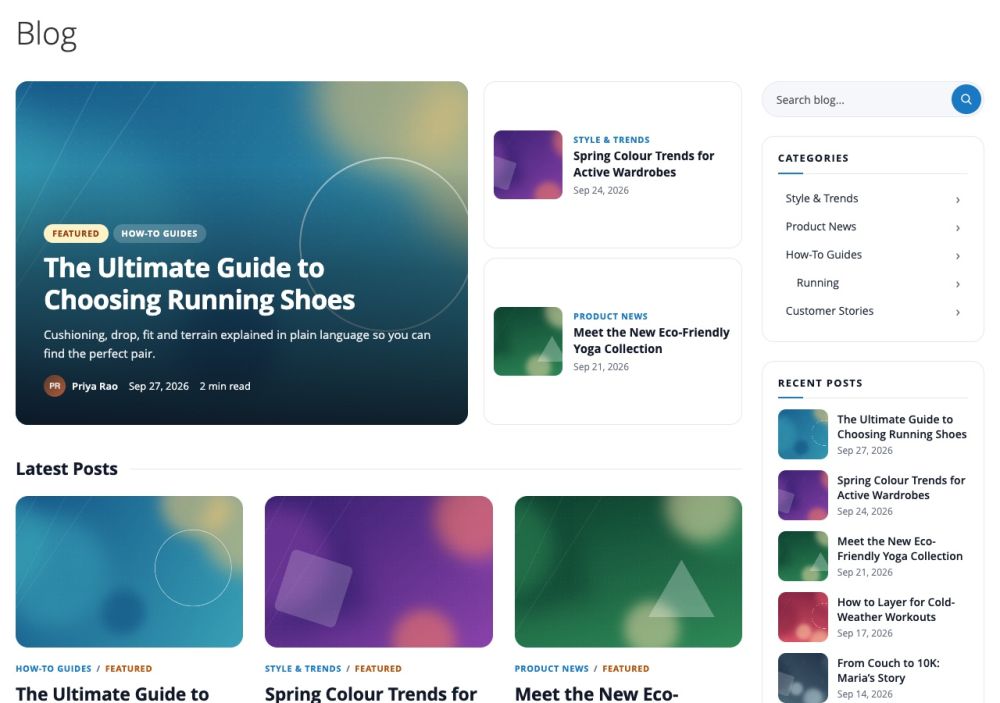
Write posts in the Magento editor or Page Builder, and sort them with categories, authors and tags.
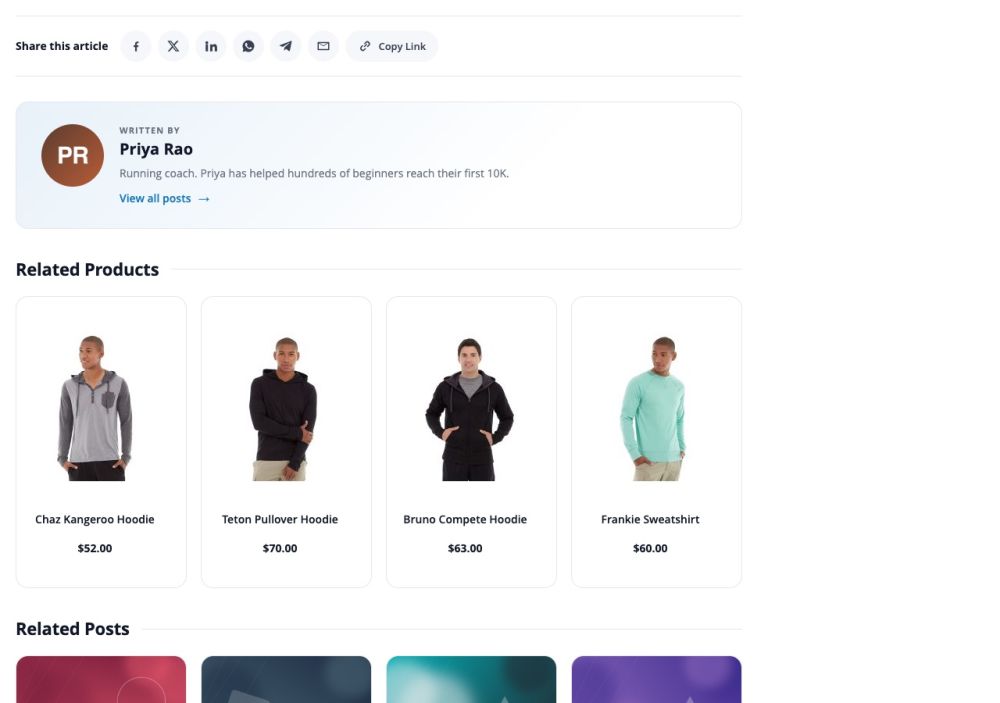
Pick related products for each post; the post appears as a related article on those product pages.
SEO-friendly URLs, structured data, a sitemap and RSS bring readers in, and comments keep them talking.
Blog
All of it is set in the Magento admin, with no coding.
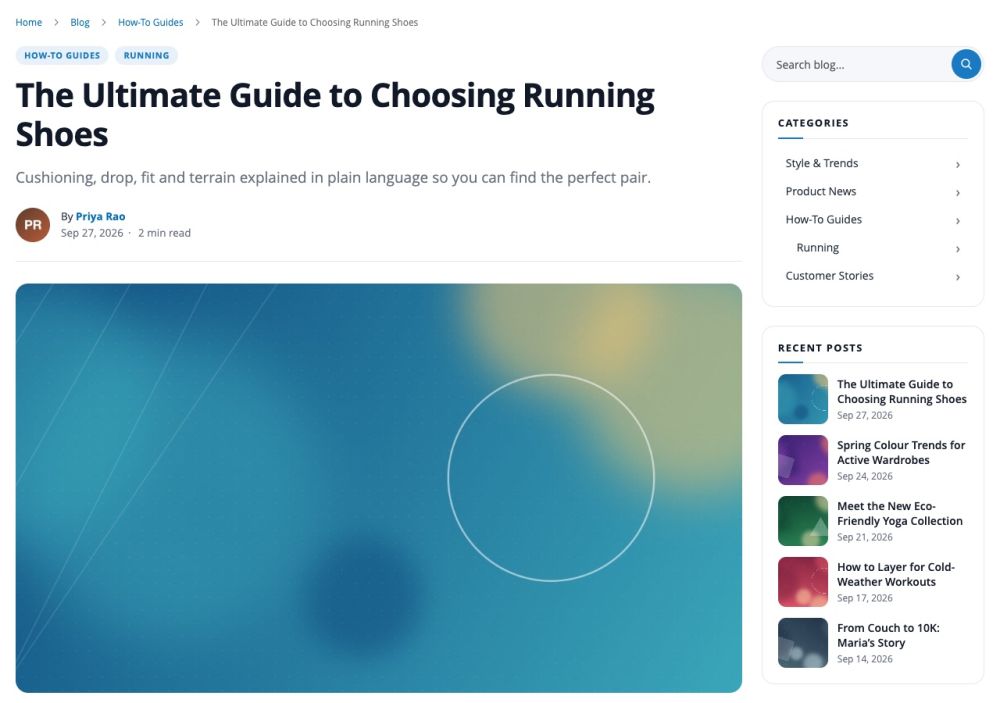
Write in the Magento editor or with Page Builder, add a featured image and a short description, and publish now or on a date you choose.
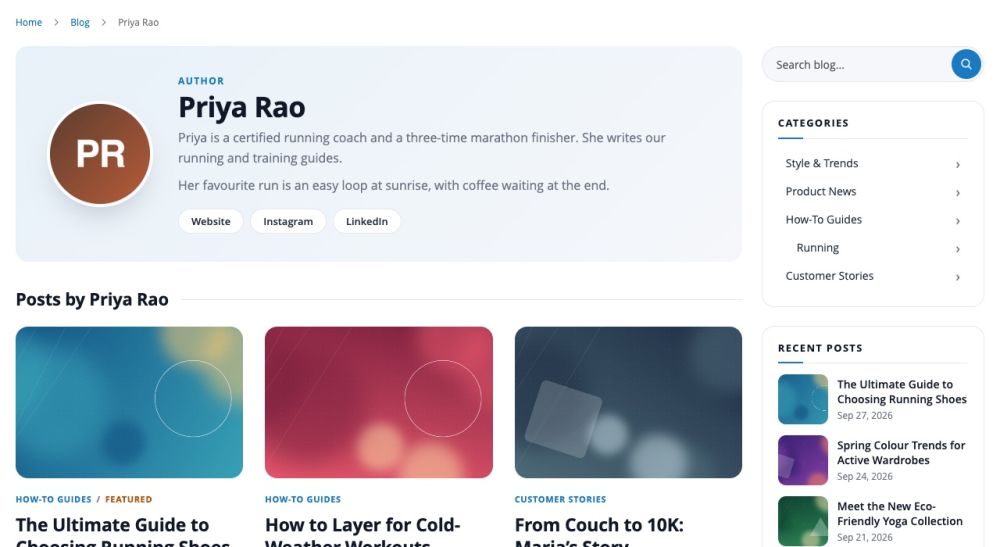
Nested categories with a banner, author profiles with photo, biography and social links, and tags. Each has its own page.
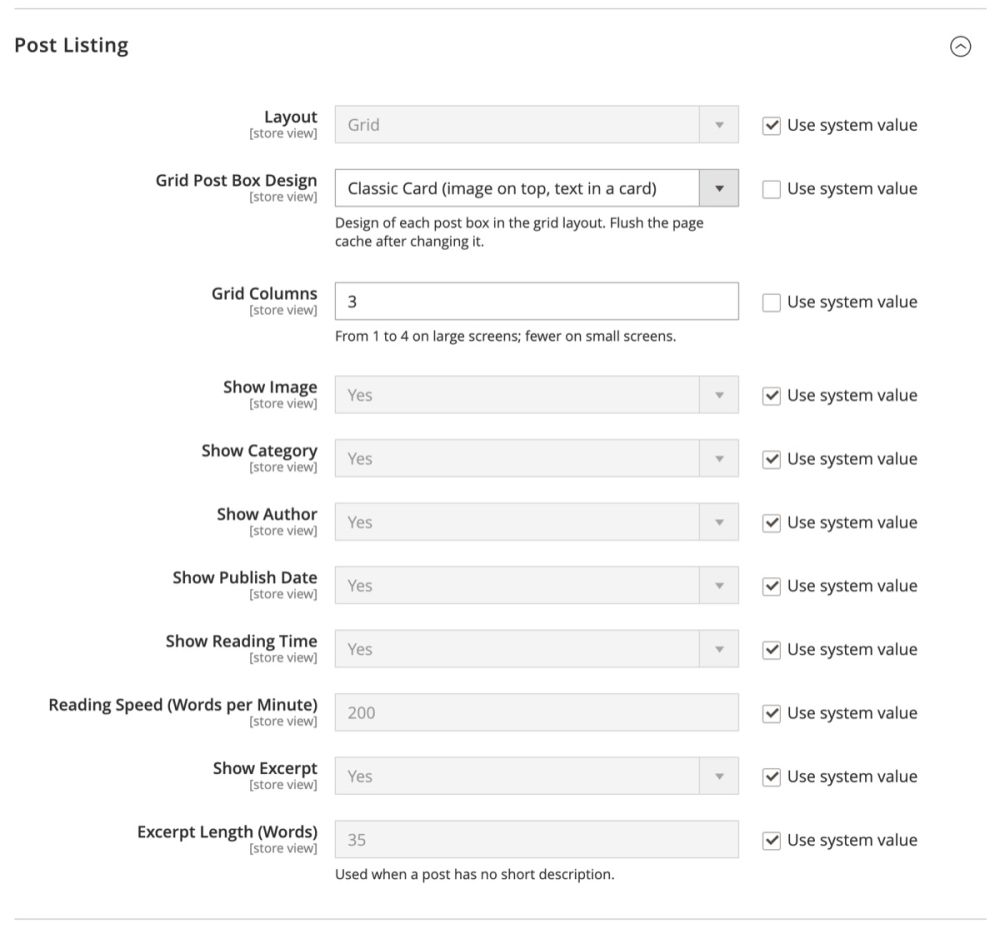
Show posts in a Grid, a List or a Magazine layout, with three grid box designs: Classic Card, Image Overlay and Minimal Editorial.
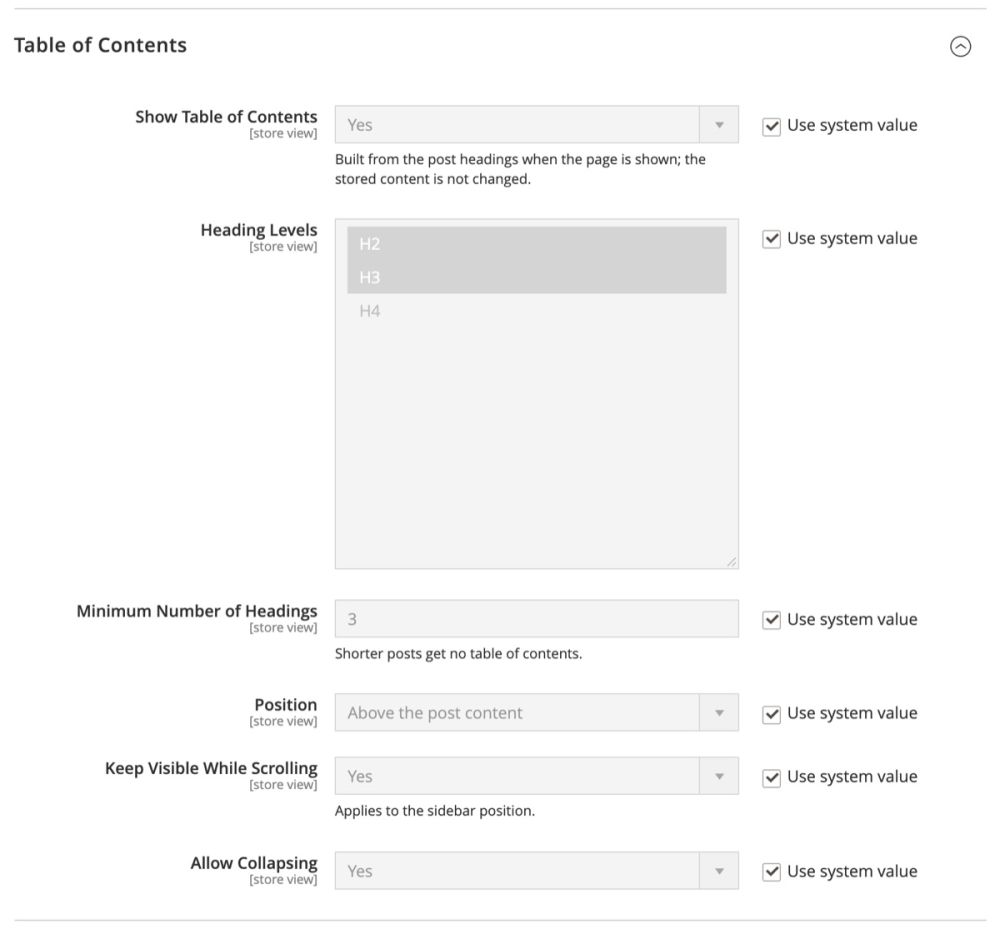
Each post can show a table of contents built from its headings, reading time, a reading progress bar, sharing buttons and previous / next links.
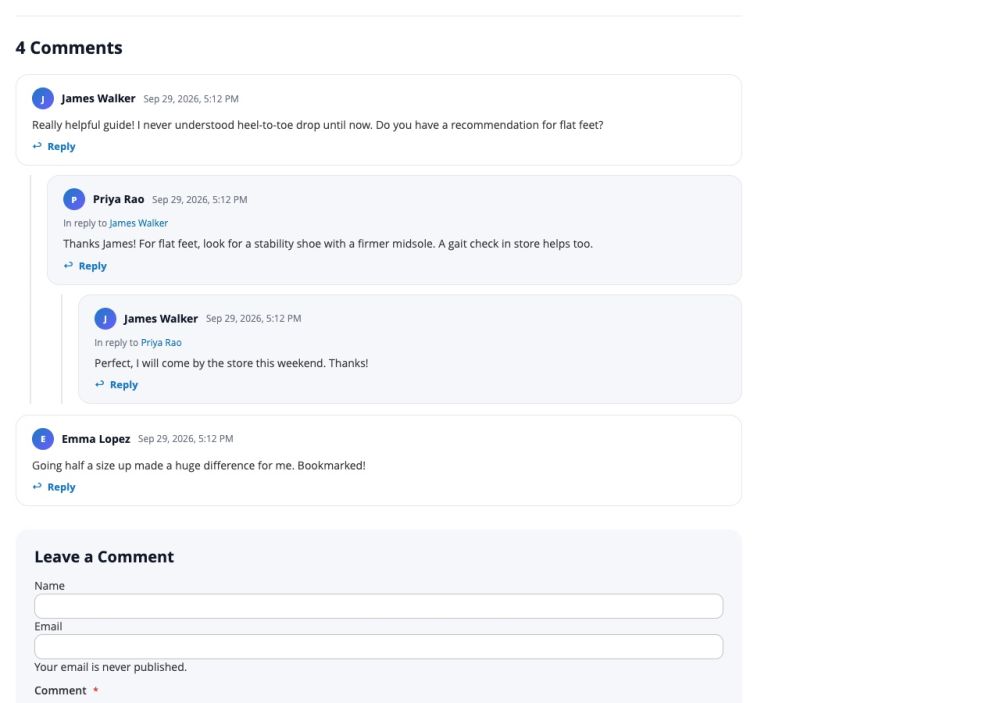
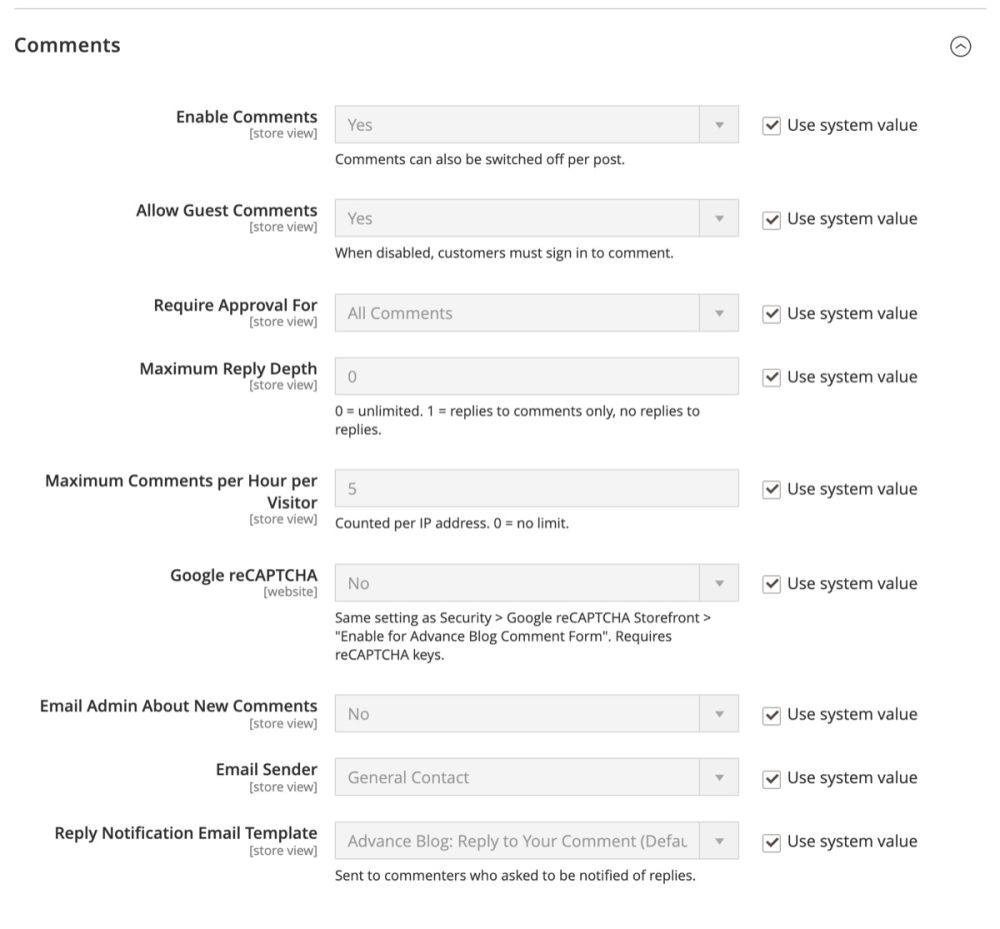
Unlimited reply levels, guest comments, moderation and email notifications. Replies from the store show a Staff badge.
SEO-friendly URLs with an optional suffix, 301 redirects when a URL changes, meta tags, canonical URLs, Open Graph and Twitter / X cards.
Eight CMS widgets and a Page Builder “Blog Posts” element put latest, featured or popular posts on any page.
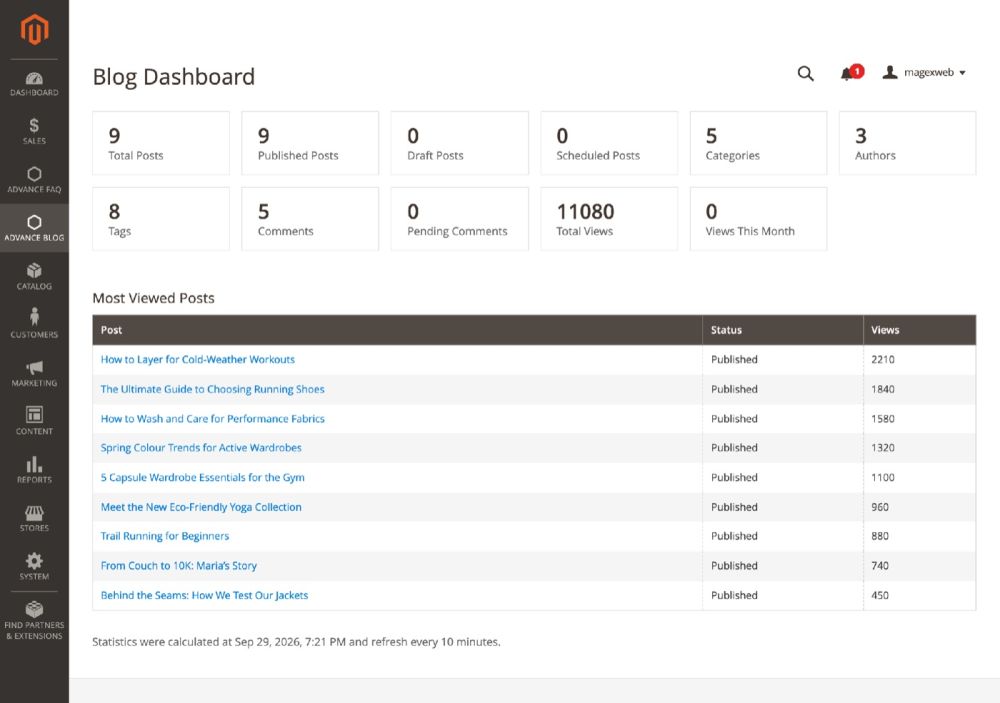
See posts, comments waiting for approval and the most viewed posts at a glance. Read and manage blog content over the REST API.
Blog pages work with full page cache and Varnish, and views are counted with a small script so cached pages count too.
See it on a live store, then check the settings in the admin.
Browse the blog on our demo store, read a post with its table of contents, comments and related products, then sign in to the admin to see the settings.
Log in to see every setting.
advanceblogadvanceblog2026No coding is needed. Every setting lives in the Magento admin, and the guide walks you through them.
No reviews yet. Using it on your store? Be the first to share how it works for you.
No reviews yet.
Something else? Ask the team that built it.
Yes. Blog pages are cached by Magento's full page cache and work with Varnish. After you change the blog settings, flush the cache in System > Cache Management so the storefront shows them.
Yes. Set a post's status to Scheduled and choose a future publish date. Magento cron publishes the post at that time, so make sure cron is running.
Yes. Change the Blog URL Key, and optionally add a URL suffix such as .html, in the general settings. Then rebuild the blog URLs with php bin/magento magexweb:advanceblog:urls:regenerate. Old URLs redirect (301) to the new ones.
Yes. Every post, category, author and tag can be assigned to all store views or to specific ones. A URL key only has to be unique within a store view.
Comments can wait for approval, and the form has a hidden honeypot field, a limit on comments per hour per visitor and optional Google reCAPTCHA. You can also allow comments from signed-in customers only.
Yes. One command installs 9 sample posts with images, 5 categories, 3 authors, 7 tags and a comment conversation, and another removes exactly what it installed. Your own content is never touched.
Disabling or removing the module keeps your blog content in the database, so you can reinstall it later without losing anything.
Every purchase includes 3 months of support. You can extend it to 6 or 12 months at checkout, and add professional installation.
Updates are free for every customer.
Magexweb is a Magento development agency with 10+ years of experience. The developers who wrote the extension answer your support questions.
See the refund policy for the terms.
Choose longer support when you buy.
Every new version at no extra cost.
Add it for $20 and we set it up on your store.
$34 Was$39Save $5
Need it to work differently? Ask for a custom version.
From the same team, with the same support.

More control over how Magento 2 category pages look and work.
Mage-OS compatible $34 Was $39

Show shoppers how close they are to free shipping.
Mage-OS compatible $34 Was $39

Find and remove unused product images to free up server space.
Mage-OS compatible $25 Was $29
Questions about this extension, or one built for your own workflow? The team that wrote it will reply by email.