Magento 2

Product Attachments for Magento 2

  • Magento Open Source 2.4.8, 2.4.9
  • Adobe Commerce 2.4.8, 2.4.9
  • PHP 8.2 to 8.4
  • Version 1.0.0
  • Mage-OS compatible

A Magento 2 product attachments extension: add PDFs, manuals, data sheets, warranty documents, links and videos to product pages, in a Downloads tab, with access by customer group.

  • Attach PDFs, manuals, data sheets, links and videos to products
  • Downloads tab or four other positions, in list, grid or table style
  • Download access by customer group, with secure file links

Adobe Marketplace approved

$34 Was$39

Save $5 One-time payment.

Where you'll install the extension.

Support
Total $34
  • 30-day money back
  • 90 days free support
  • Free updates

Give shoppers the manuals, data sheets and videos they look for.

Before they buy, many shoppers want the user manual, the technical data sheet or the warranty terms. After they buy, they come back for the installation guide. Product Attachments puts these documents on your Magento 2 product pages, in a Downloads tab or wherever you choose, so shoppers find answers without contacting you.

  1. Upload your documents

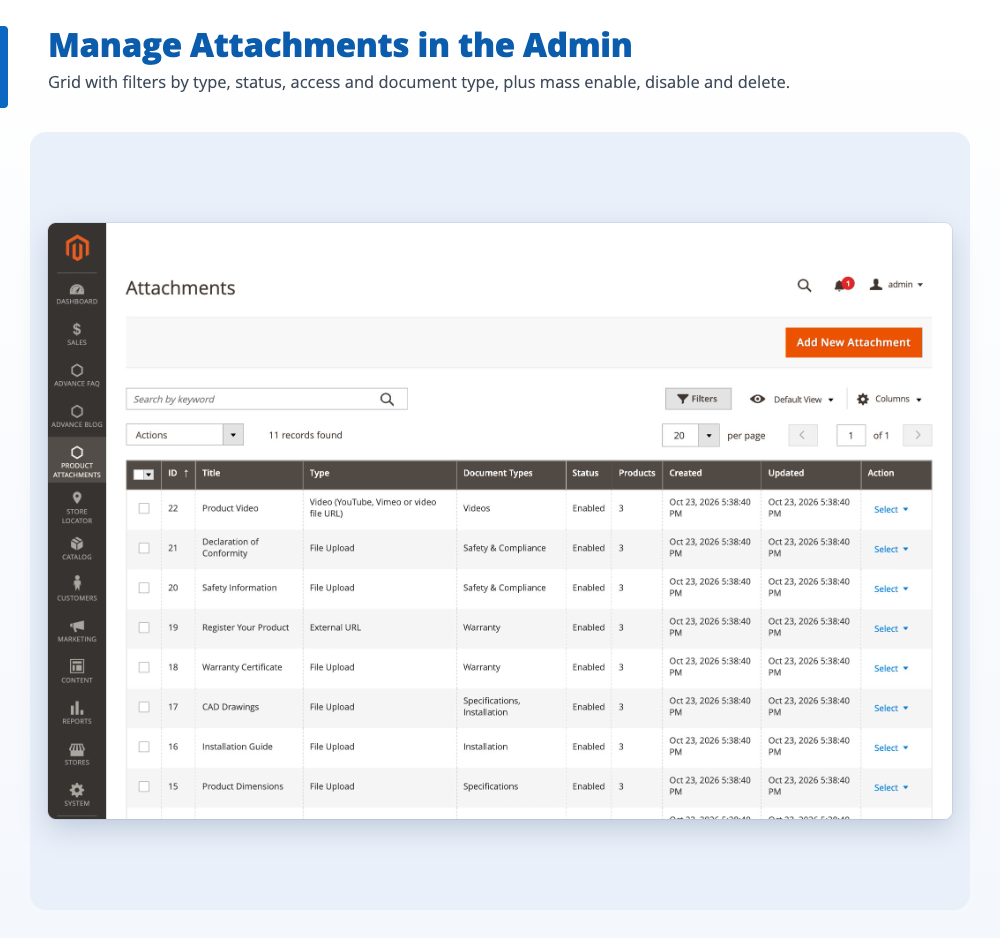
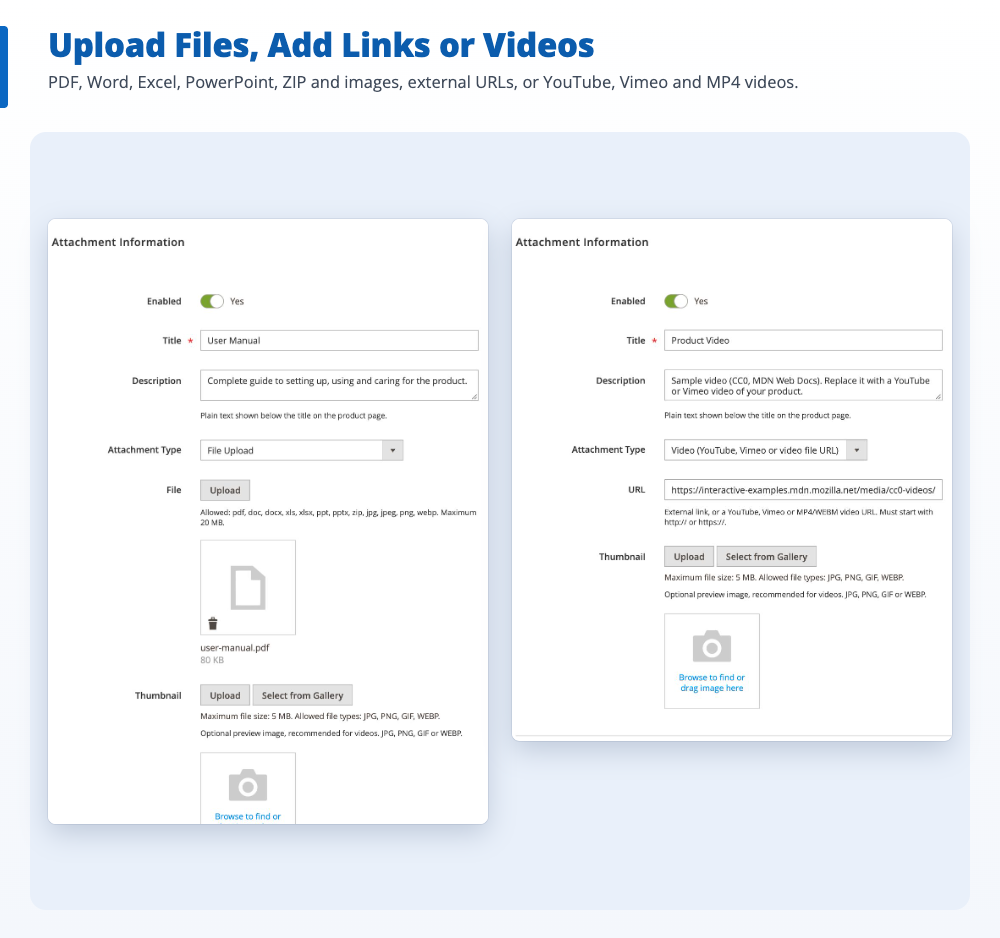
    Upload PDFs and other files, or add links and YouTube or Vimeo videos, and sort them by document type.

  2. Group and assign

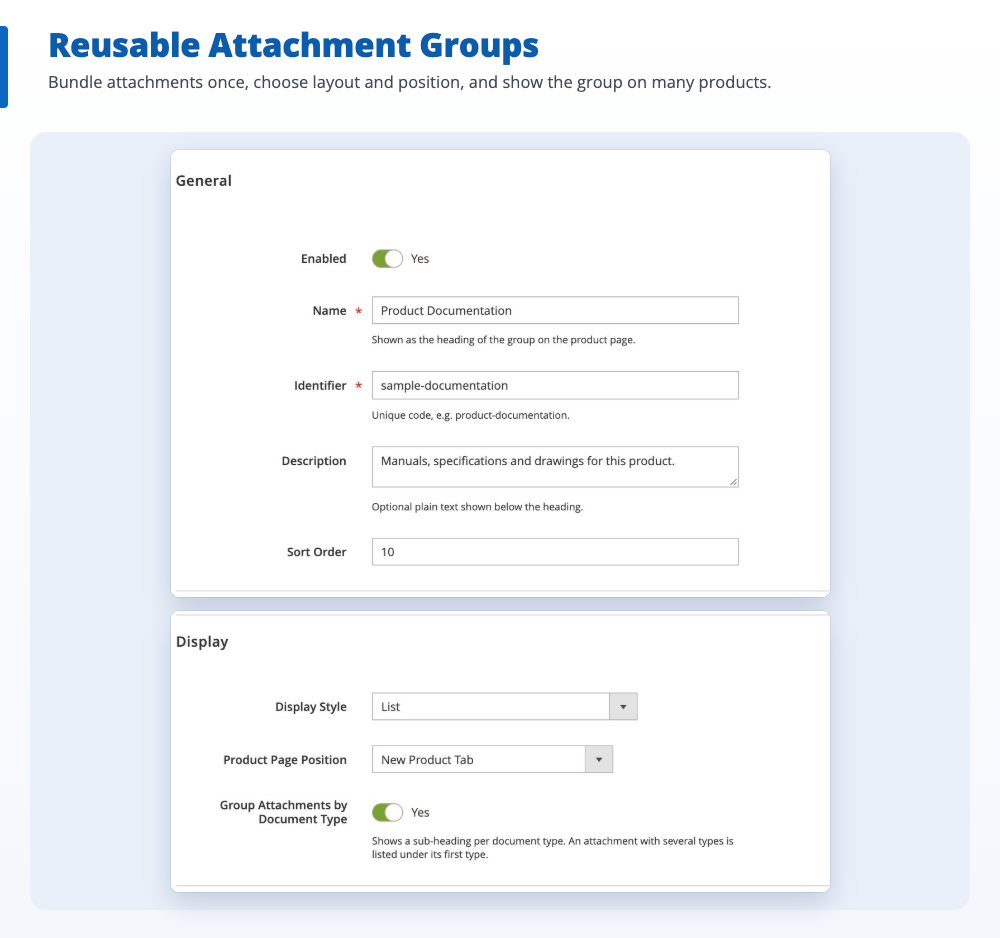
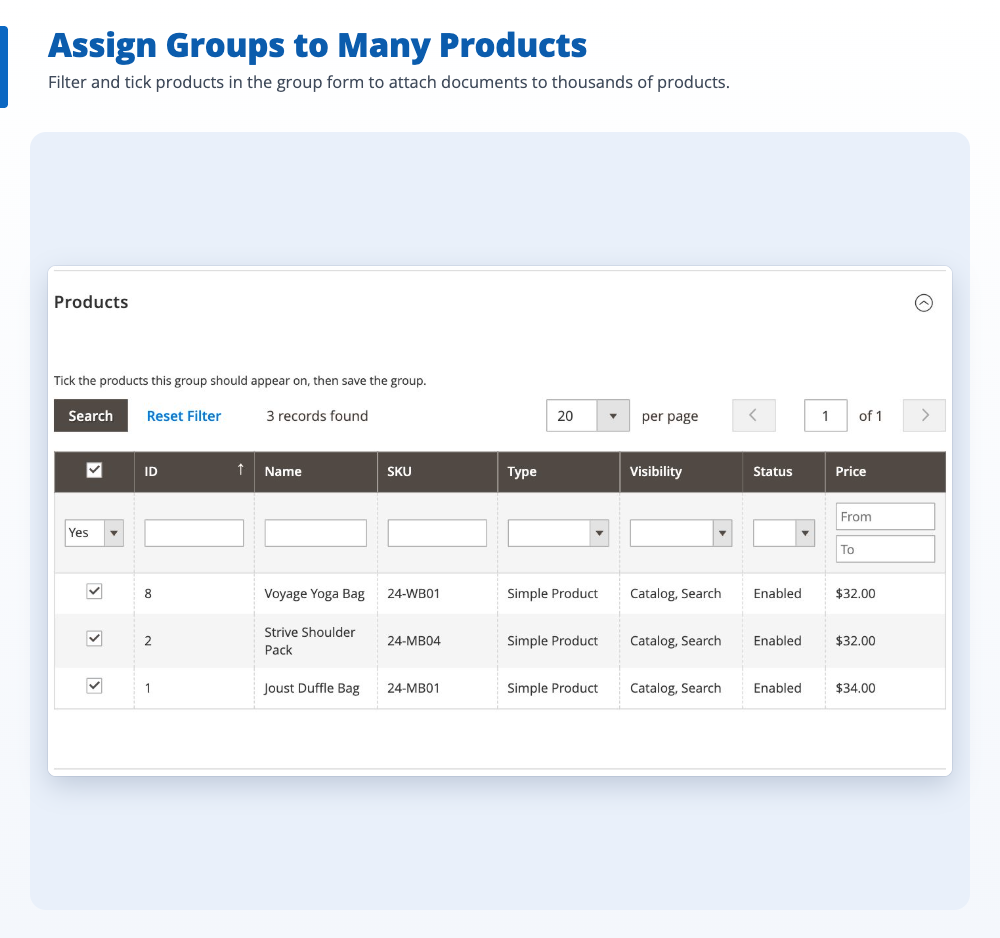
    Put attachments into groups and assign a group to one product or hundreds at once.

  3. Shoppers download

    Files appear on the product page with their type and size, open to everyone or only to the customer groups you choose.

Style
  • User ManualPDF 2.4 MBUser ManualsDownload
  • Technical Data SheetPDF 640 KBSpecificationsDownload
  • Descaling VideoVIDEO YouTubeVideosWatch Video
  • Service Parts ListZIP 3.1 MBInstallationLog in to accessDownload
Try it: switch the display style, then log in to unlock the file for logged-in customers. Files are examples.

Everything the Magento 2 product attachments extension can do.

All of it is set in the Magento admin, with no coding.

Attach PDFs, manuals and data sheets

Upload user manuals, quick start guides, technical data sheets, warranty certificates, CAD drawings and images, or add an external link with your own button text.

  • PDF, Word, Excel, PowerPoint, ZIP, JPG, PNG and WEBP
  • File type and size shown, e.g. “PDF 2.4 MB”

A Downloads tab, or four other positions

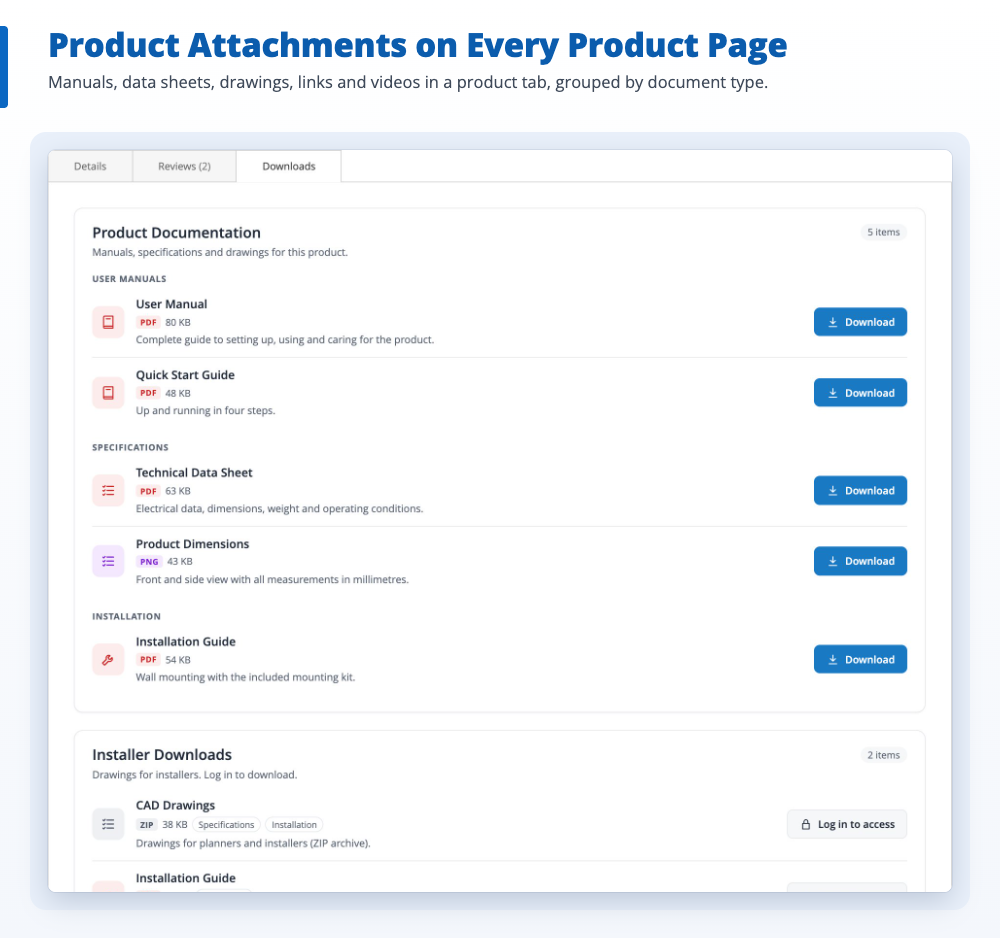
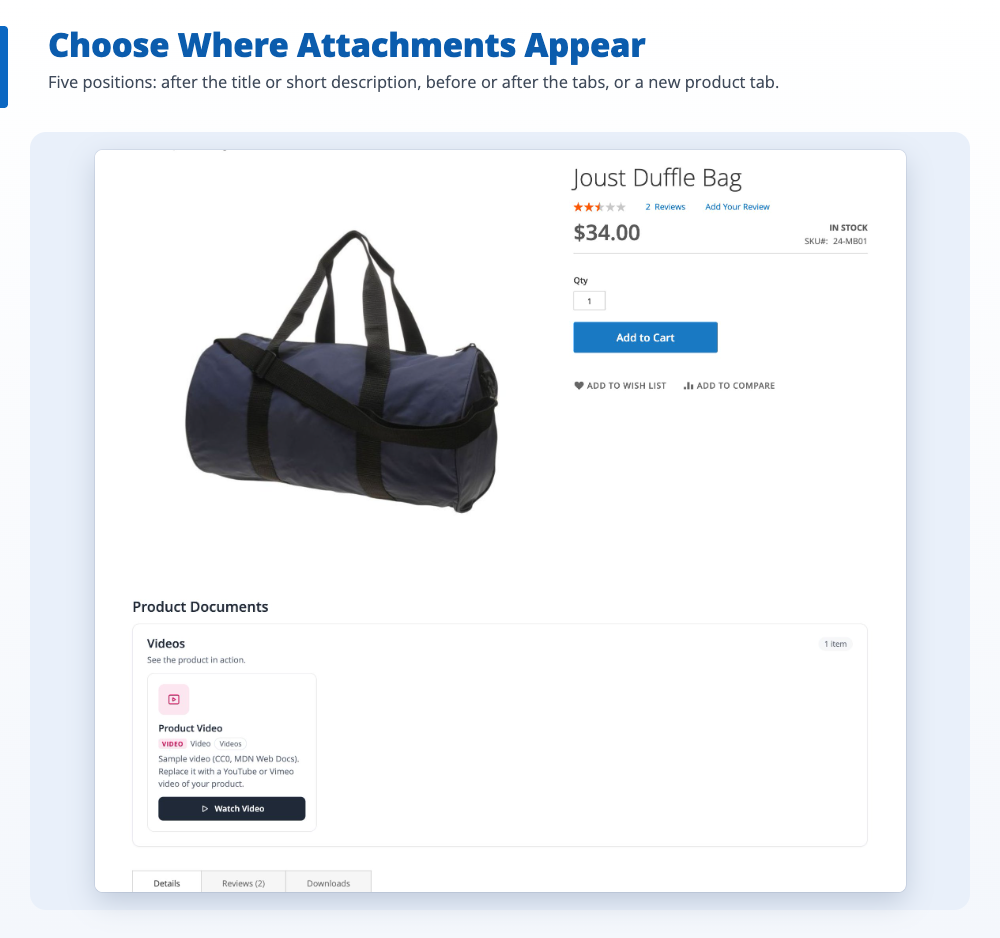
Show attachments in a new “Downloads” tab on the product page, after the title or short description, or before or after the product tabs.

  • Your own tab title and section heading
  • Several groups on one product, each in its own position

List, grid or table layout

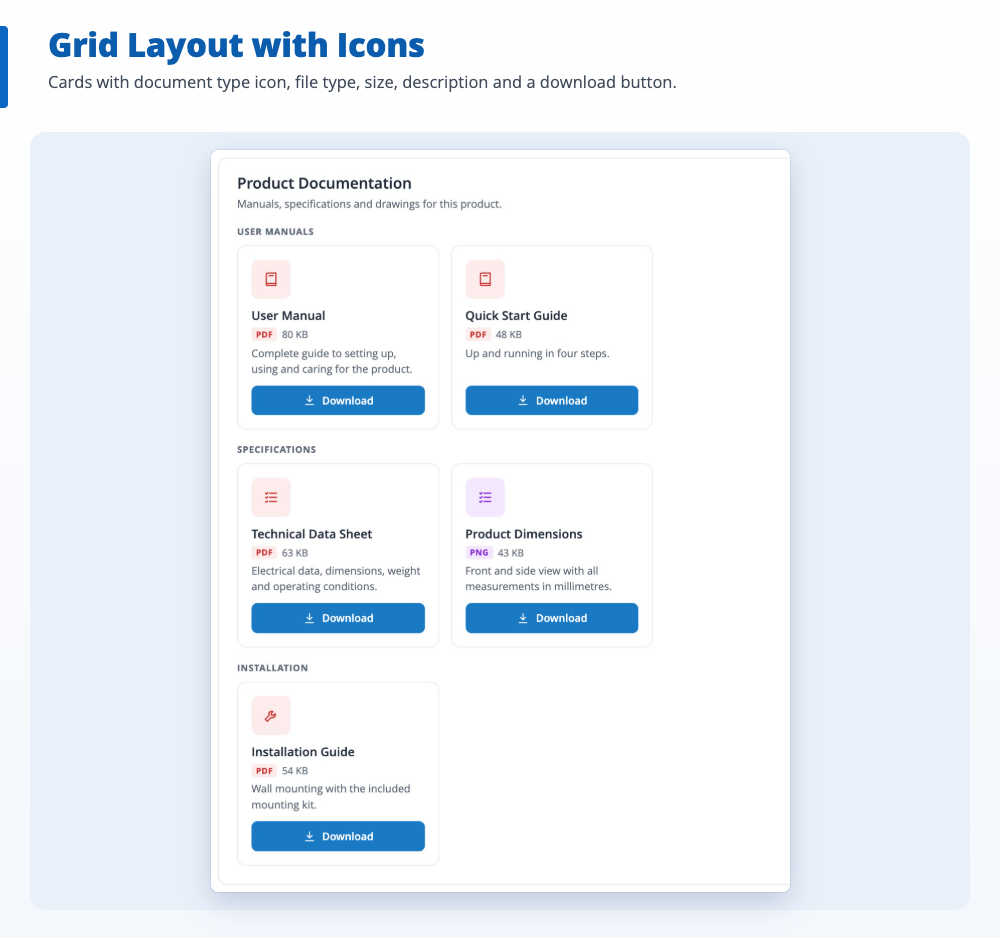
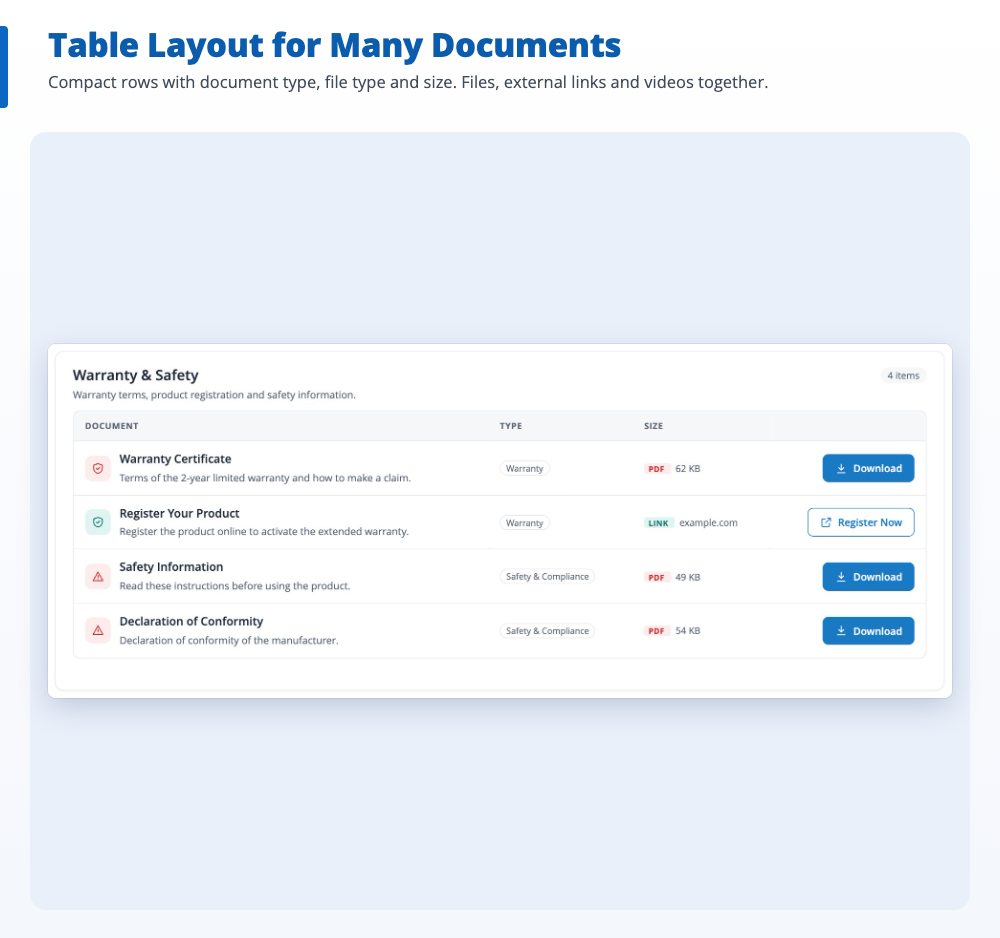
Pick a display style for each attachment group and sort files under headings by document type, such as User Manuals, Specifications or Warranty.

  • Coloured file-type icons, badges and document type chips
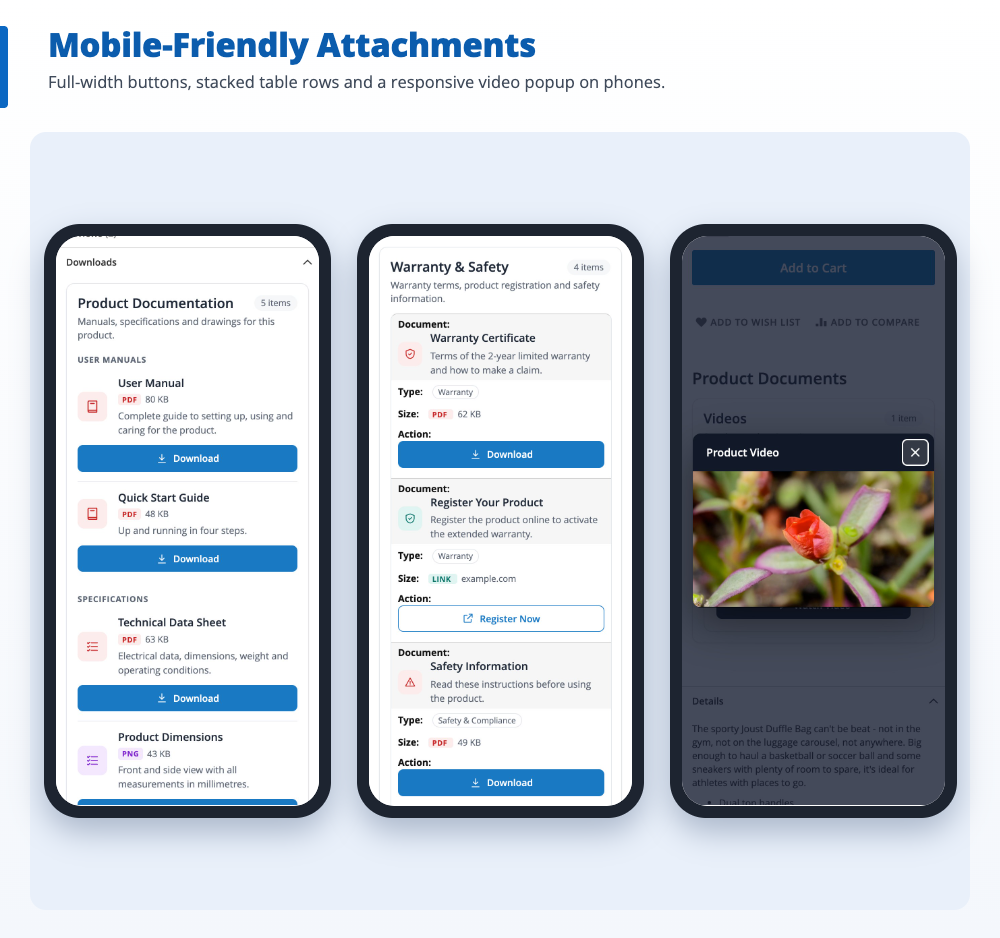
  • Mobile-friendly, with reduced-motion support

Download access by customer group

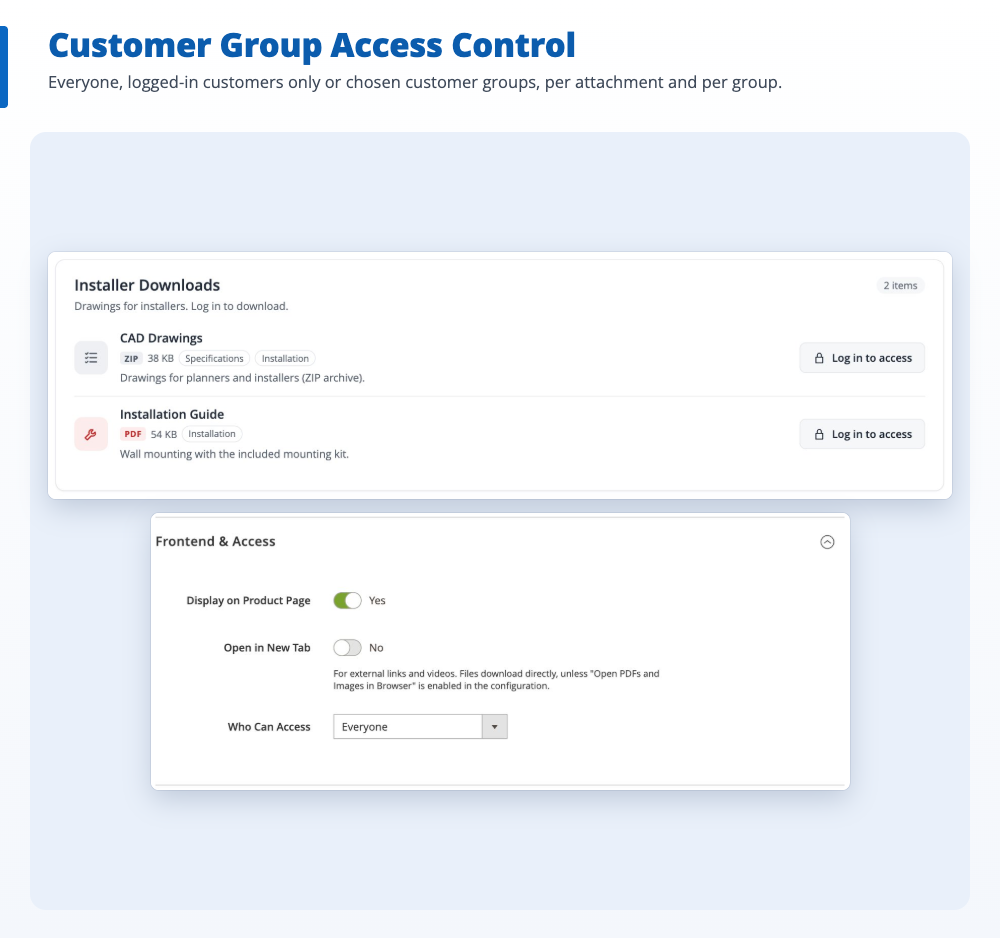
Let everyone download a file, only logged-in customers, or only chosen customer groups such as Wholesale or Installers. The rule is checked on the server for every download.

  • Show a lock and “Log in to access”, or hide restricted files
  • Rules per attachment, per group and store-wide

Product videos in a popup

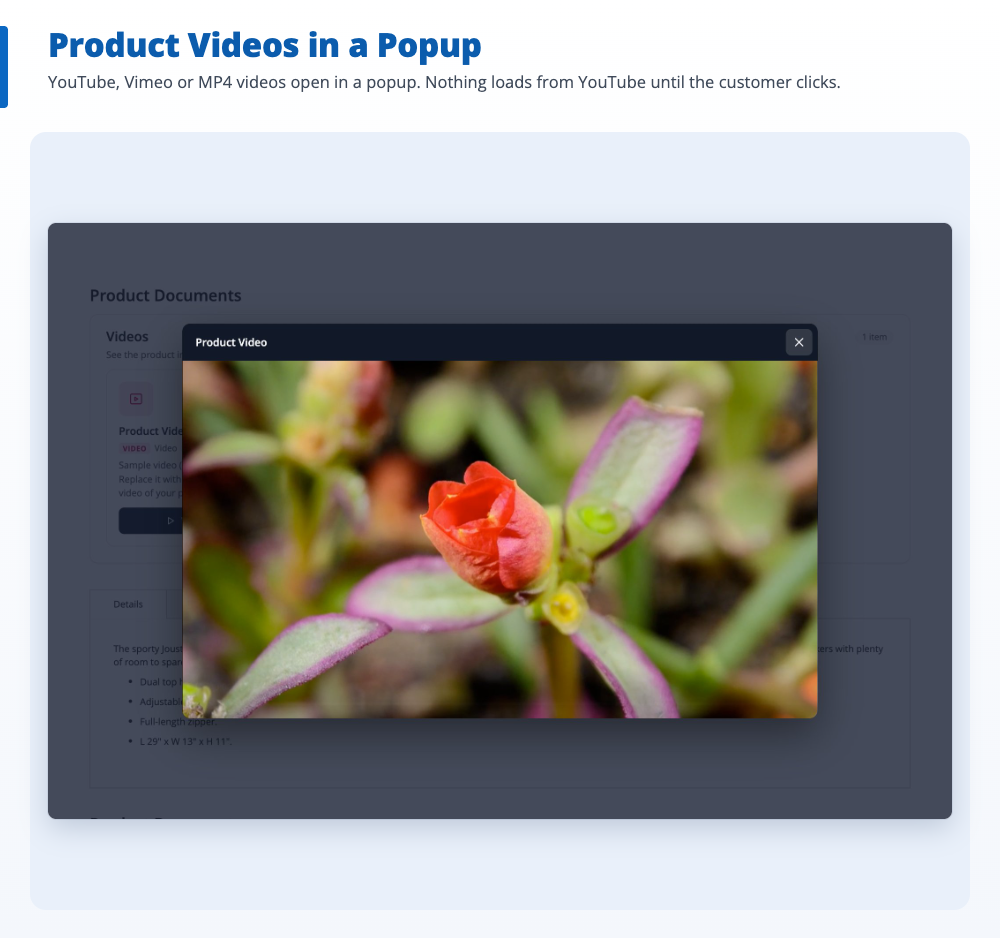
Add YouTube, Vimeo or MP4/WEBM videos next to your documents. The video plays in a popup, and nothing loads from YouTube or Vimeo until the shopper presses play.

  • YouTube no-cookie domain
  • Optional thumbnail per video

Attach one file to many products

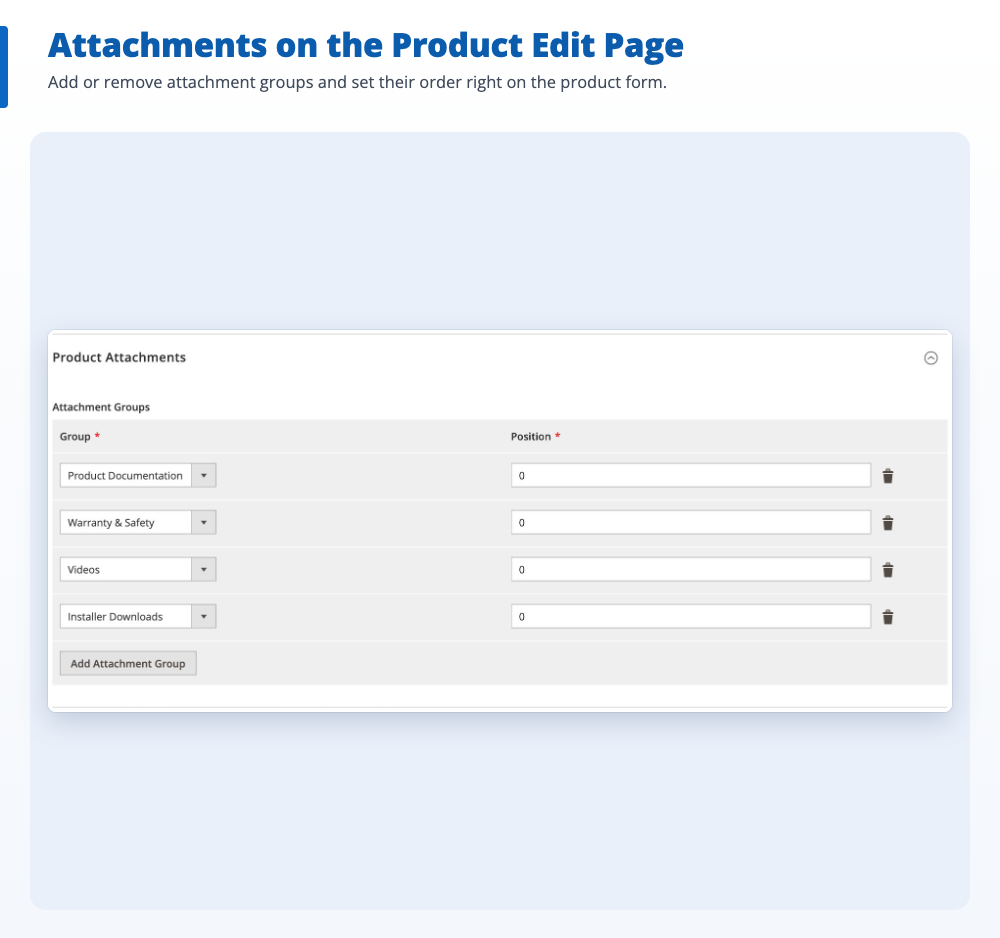
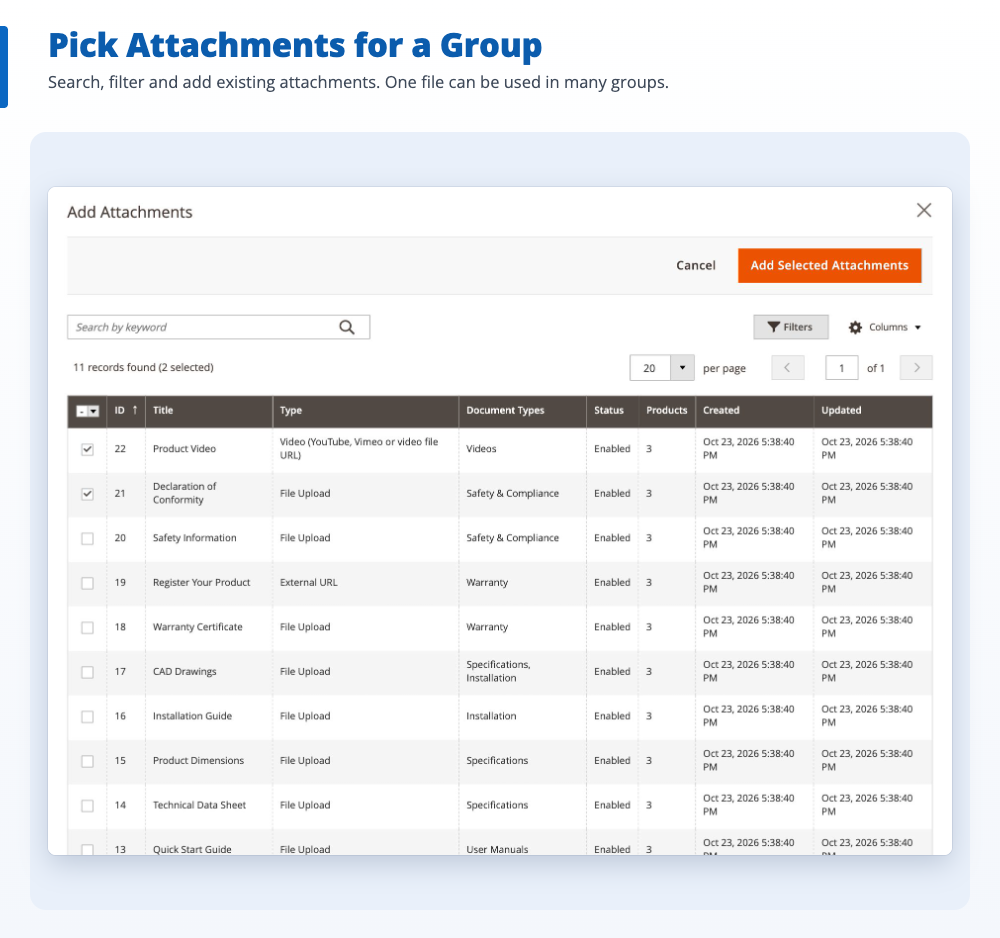
Put attachments into groups and assign a group to as many products as you need, from the group or from the product edit page. Update the file once and every product shows the new version.

  • Product grid with filters and checkboxes
  • Drag to sort attachments in a group

Secure uploads and downloads

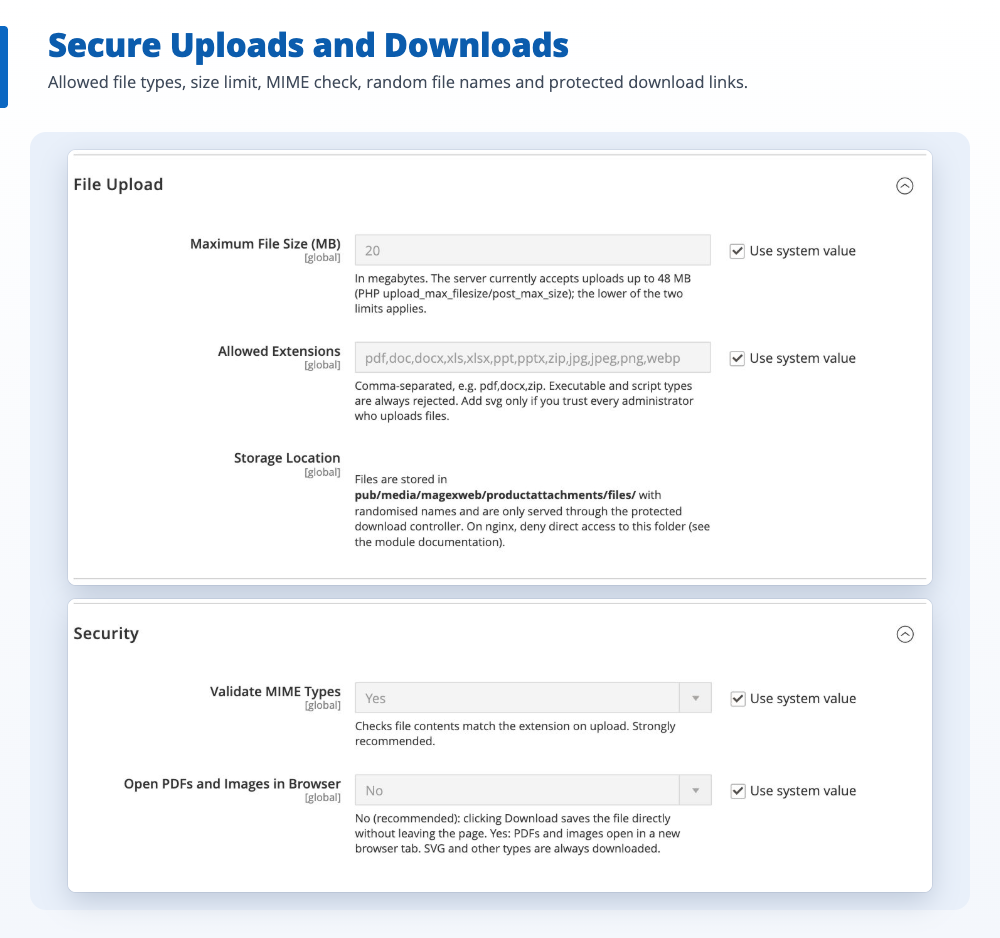
Files are checked against an allow-list and their real content, stored under random names and served only through a protected download link.

  • Scripts and executables are always refused
  • No direct file URLs, no search engine indexing of files

Store views and full page cache

Limit attachments and groups to store views, for example a manual per language. Product pages stay in Magento’s full page cache and refresh when an attachment changes.

  • Per-store-view configuration
  • No extra database queries per product on listings

REST API and sample data

Create document types, attachments and groups, upload files and assign products through the REST API. One command adds sample data to try everything.

  • ACL permissions for every admin page
  • Daily cleanup of unused uploads

Try it before you buy.

See it on a live store, then check the settings in the admin.

Storefront demo

Open a product with attachments on our demo store: try the Download buttons, the Downloads tab, the video popup and a file that only logged-in customers can download. Then sign in to the admin to see the attachments, groups and settings.

Admin demo

Log in to see every setting.

Open the admin demo(opens in a new tab)

User guide

No coding is needed. Every setting lives in the Magento admin, and the guide walks you through them.

  • Installation, including the nginx rule for secure files
  • Document types, attachments and attachment groups
  • Display positions, access rules and the REST API
Download the user guide

What store owners say.

No reviews yet. Using it on your store? Be the first to share how it works for you.

No reviews yet.

Used Product Attachments? Tell other store owners how it works for you. Write a review
Your rating

Questions before you buy.

Something else? Ask the team that built it.

How do I attach a PDF to a product in Magento 2?

Magento 2 has no built-in way to add PDFs or other files to a product page. With Product Attachments you upload the PDF under Product Attachments > Attachments, add it to an attachment group and assign the group to your products. The PDF then appears with a Download button in a Downloads tab or another position you choose, with no coding.

Can I add a Downloads tab to the Magento 2 product page?

Yes. Choose the "Product tab" position and attachments are shown in a new tab next to Details and Reviews. You can rename the tab, for example to "Documents" or "Manuals". Groups can also appear after the product title, after the short description, or before or after the tabs.

What is the difference between a downloadable product and product attachments?

A Magento downloadable product sells a file: the customer gets the download link after paying. Product attachments are free documents shown on any product type, such as a simple or configurable product: manuals, data sheets, warranty certificates, drawings and videos that help shoppers decide before buying.

Can I restrict downloads to logged-in customers or customer groups?

Yes. Each attachment and each group can be open to everyone, to logged-in customers only, or to chosen customer groups such as Wholesale or Installers. The rule is checked on the server for every download. Guests see a lock with "Log in to access", or you can hide restricted files completely.

Which file types can I upload?

PDF, DOC, DOCX, XLS, XLSX, PPT, PPTX, ZIP, JPG, JPEG, PNG and WEBP by default, up to 20 MB per file. You can change the list and the size limit in the configuration. Scripts and executable files are always refused, and the content of each file is checked against its extension.

Can I add product videos from YouTube or Vimeo?

Yes. Add a YouTube, Vimeo or direct MP4, WEBM or OGG link as a video attachment. Shoppers click Watch Video and the video plays in a popup. Nothing is loaded from YouTube or Vimeo until they press play, and YouTube uses its no-cookie domain.

Can I attach the same file to many products at once?

Yes. Attachments are organised in groups, and one group can be assigned to any number of products from a filterable product grid. When you replace a file, every product that uses it shows the new version.

Can people open the uploaded files directly or find them in Google?

No. Files are stored under random names in a protected folder and are only served through a download link that checks the store view and the customer's access. Downloads are sent with a noindex header so search engines do not index them. On nginx, one deny rule from the installation guide is needed.

Does it work with multiple store views and the full page cache?

Yes. Attachments and groups can be limited to store views, for example to show a manual in each language, and product pages stay in Magento's full page cache. Titles and descriptions are the same in every store view, so for another language you create a separate attachment.

Which Magento versions and themes does it support?

Magento Open Source and Adobe Commerce 2.4.8 and 2.4.9, with PHP 8.2 to 8.4, on Luma, Blank and Luma-based themes. On Hyvä the Downloads tab works, but the attachments are not styled and videos open as links; a Hyvä compatibility module is planned.

Is there a REST API?

Yes. Document types, attachments and groups, file uploads and product assignments are all available through the Magento REST API, with their own ACL permissions.

What support do I get after purchase?

Every purchase includes 3 months of support. You can extend it to 6 or 12 months at checkout, and add professional installation.


Changelog.

Updates are free for every customer.

  1. Version 1.0.0

    Latest
    • Initial release

Bought from the team that built it.

Magexweb is a Magento development agency with 10+ years of experience. The developers who wrote the extension answer your support questions.

  • 30-day money back

    See the refund policy for the terms.

  • 90 days free support

    Choose longer support when you buy.

  • Free updates

    Every new version at no extra cost.

  • Installation on request

    Add it for $20 and we set it up on your store.

Product Attachments for Magento 2

$34 Was$39Save $5

Choose options and buy Try the demo first

Need it to work differently? Ask for a custom version.

More Magento 2 extensions.

From the same team, with the same support.

See all extensions
  • Advance FAQ
    Magento 2

    Advance FAQ

    A FAQ help center, product FAQ tab and ask-a-question form for Magento 2.

    • Mage-OS compatible
  • Store Locator
    Magento 2

    Store Locator

    Store search on Google Maps or OpenStreetMap, with SEO store pages, for Magento 2.

    • Mage-OS compatible
  • Advance Blog
    Magento 2

    Advance Blog

    A complete, SEO-friendly blog inside your Magento 2 store.

    • Mage-OS compatible

Need help or a custom version?

Questions about this extension, or one built for your own workflow? The team that wrote it will reply by email.

  • Email info@magexweb.com
  • Phone +91 99092 71288
  • Hours Mon–Fri, 10:00 AM to 8:00 PM IST
  • Office D-1002, Jasmin Green 1, Near Vaishnodevi Circle, Ahmedabad 382421, India

  • Free consultation
  • NDA available
  • Reply by email